Your thumbnail is the first thing people see. Before they read your title, before they hear a single word, they decide whether to click based on that one image. I’ve tested multiple thumbnail design services over the past year to find which ones actually understand what makes people click.
Here’s what most creators get wrong: they think a good thumbnail is just a nice-looking image. It’s not. A good thumbnail stops the scroll, creates curiosity, and communicates your video’s value in under a second. Finding a video editing service that includes quality thumbnails is one thing, but dedicated thumbnail services take it to another level.
I’ve narrowed it down to the 7 best thumbnail design services for 2026. Some focus on speed, others on creative direction. I’ll break down the pricing, turnaround times, and what type of creator each one actually works best for.
Why Professional Thumbnails Matter More Than Ever
Before we get into the services, let me explain why investing in professional thumbnails makes sense even if you’re good at design yourself.
YouTube’s algorithm weighs click-through rate heavily when deciding which videos to recommend. A thumbnail that increases your CTR by even a few percentage points can dramatically change how many views you get. The difference between a 4% and 6% click-through rate might not sound like much, but it can mean thousands of additional views per video.
Professional thumbnail designers understand the psychology of clicks. They know how to use faces, contrast, text placement, and color theory to grab attention. They’ve seen thousands of thumbnails and know what works in different niches. When you’re dealing with creator burnout, outsourcing thumbnail design is one of the highest-impact tasks you can delegate.
The math often works out too. If a better thumbnail gets you 20% more views, and those views translate to ad revenue or product sales, the $25-50 you spend on a professional design pays for itself quickly.
Top 7 Thumbnail Design Services in 2026
Here’s my breakdown after testing these services with real YouTube content:
| Service | Starting Price | Turnaround | Best For |
|---|---|---|---|
| Your Video Editor | $25/thumbnail | 24-48 hours | Creators wanting quality and value |
| Custom Thumbnails | $47/thumbnail | 24 hours | YouTube-focused creators |
| Dava Marketing | Custom pricing | Varies | Brand-focused content |
| Tasty Edits | $37/thumbnail | 24-48 hours | Professional creators |
| Divine Technology | $50 for 2 | 24-48 hours | Budget bulk orders |
| Thumbnail Designers | $29/month | 24-48 hours | High-volume creators |
| Fiverr Freelancers | $5-$100+ | Varies | One-off projects |
1. Your Video Editor

- Category: Full-service thumbnail design
- Best for: Creators wanting consistent quality
- Ease of use: Beginner-friendly
- Pricing: $25/thumbnail or $100 for 5-pack
After testing multiple services, Your Video Editor delivered the best combination of quality, speed, and value. When I submitted a brief for a tech review thumbnail, they nailed the composition on the first try with proper text hierarchy, an attention-grabbing color scheme, and professional photo editing that made the product pop.
The 24-48 hour turnaround works well for most posting schedules. If you’re trying to outsource your YouTube editing, bundling thumbnail design with video editing from the same team creates consistency across your channel.
Pricing is straightforward at $25 per thumbnail. The 5-pack at $100 drops it to $20 each, and the 10-pack at $180 brings it down to $18 per design. Credits never expire, which matters if your upload schedule varies. Unlimited revisions are included, so you’re not paying extra to get things right.
They also handle different thumbnail styles well. Whether you need the classic YouTube face-and-text format or something more minimalist, their designers adapt to your channel’s aesthetic. Their dedicated editor service includes thumbnail design if you want the same person learning your style over time.
Pros
- Competitive pricing at $25/thumbnail
- 24-48 hour turnaround
- Unlimited revisions included
- Bulk discounts available (5-pack, 10-pack)
- Credits never expire
- Can bundle with video editing
Cons
- Can be booked up during peak periods
- Rush orders may have limited availability
Best For: YouTube creators who want professional thumbnails without overpaying, especially those already using their video editing services.
2. Custom Thumbnails
- Category: YouTube thumbnail specialist
- Best for: YouTube-focused creators
- Ease of use: Intermediate
- Pricing: $47/thumbnail or $147-$997/month
Custom Thumbnails focuses exclusively on YouTube thumbnails, which means their team has deep expertise in what works on the platform. They offer both per-thumbnail pricing at $47 each and subscription plans ranging from $147/month for 4 thumbnails to $997/month for unlimited designs with same-day turnaround.
Their designers understand YouTube-specific best practices like the importance of readable text at small sizes, proper safe zones for mobile viewing, and how to create visual consistency across a video series. The quality is solid, though the per-thumbnail price is nearly double what some competitors charge.
The subscription model makes sense if you’re posting 3+ times per week. At $997/month for unlimited thumbnails with same-day delivery, high-volume creators get significant value. But for creators posting once or twice a week, the per-thumbnail cost adds up quickly compared to alternatives.
Pros
- YouTube-specific expertise
- 24-hour standard turnaround
- Subscription options for high volume
- Same-day delivery on premium plans
- Consistent quality from specialized team
Cons
- Higher per-thumbnail pricing
- Subscriptions require monthly commitment
- May be overkill for occasional uploaders
Best For: Full-time YouTubers posting frequently who want YouTube-specialized designers and can justify higher costs.
3. Dava Marketing
- Category: Marketing agency with thumbnail services
- Best for: Brand-focused content creators
- Ease of use: Intermediate
- Pricing: Custom quotes
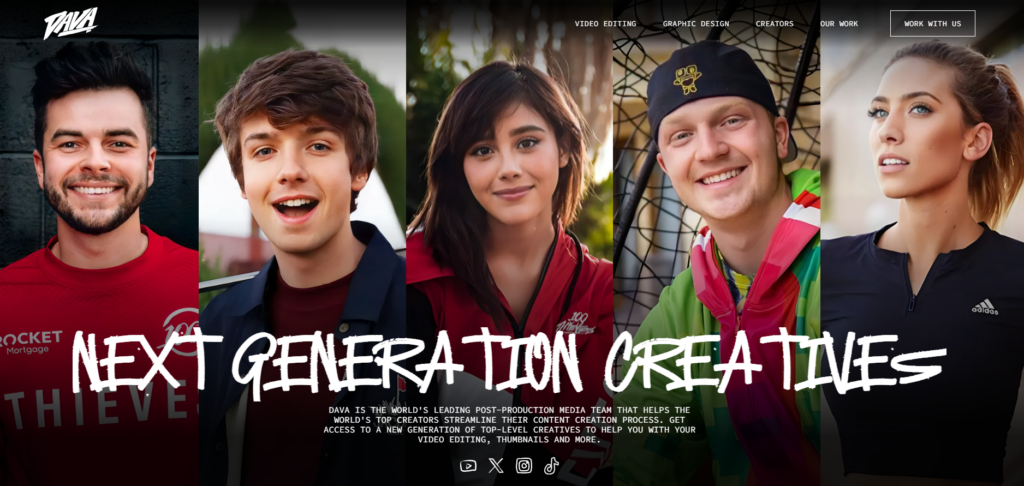
Dava Marketing approaches thumbnail design from a marketing perspective rather than just creative design. They focus on brand consistency, audience psychology, and conversion optimization. This makes them a good fit for businesses and personal brands where thumbnails need to align with broader marketing goals.
The downside is their custom pricing model. You need to request a quote for every project, which makes budgeting harder and adds friction to the ordering process. For creators who want to quickly submit briefs and get thumbnails back, this approach can feel slow.
Where Dava Marketing shines is strategic thinking. They’ll analyze your existing thumbnails, identify patterns in what’s working, and develop a thumbnail strategy rather than just executing individual designs. If you’re willing to invest in that strategic layer, the results can be worth it.
Pros
- Strategic marketing approach
- Brand consistency focus
- Audience psychology expertise
- Full creative direction available
Cons
- No transparent pricing
- Quote process adds friction
- May be more than casual creators need
- Turnaround times vary
Best For: Businesses and established creators who want strategic thumbnail design aligned with broader marketing goals.
4. Tasty Edits
- Category: Professional thumbnail design
- Best for: Professional content creators
- Ease of use: Intermediate
- Pricing: $37/thumbnail
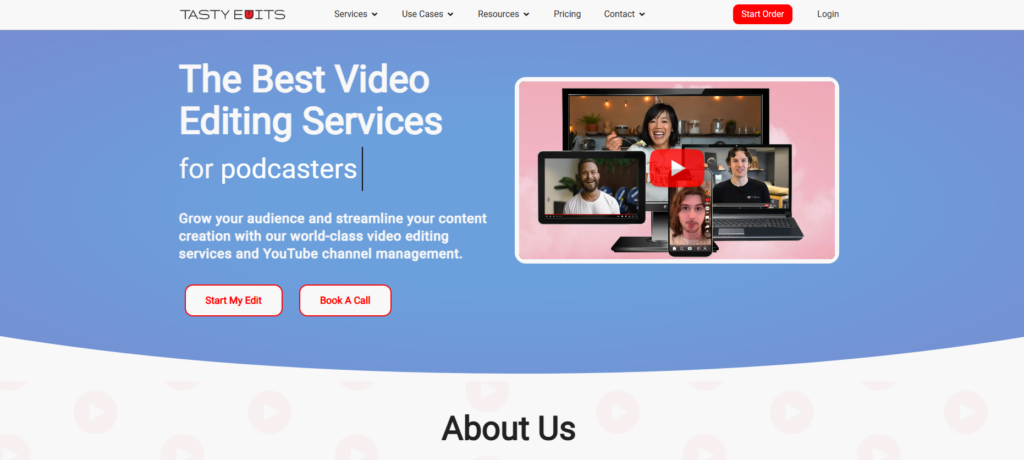
Tasty Edits offers thumbnail design as part of their broader video production services. At $37 per thumbnail, they sit in the middle of the pricing spectrum. Their designs tend toward clean, professional aesthetics that work well for educational content, business channels, and professional creators.
The 24-48 hour turnaround is standard, and they offer package deals if you’re bundling thumbnails with video editing. Their style is polished but somewhat conservative. If you’re looking for bold, attention-grabbing designs that push creative boundaries, you might find their approach too safe.
One advantage is consistency. Since they also handle video editing, your thumbnails and videos can have a cohesive look when you use both services. They understand how thumbnail promises should match video content, which helps with viewer retention.
Pros
- Professional, polished designs
- 24-48 hour turnaround
- Can bundle with video editing
- Consistent quality
Cons
- More expensive than some alternatives
- Conservative design approach
- Limited creative risk-taking
Best For: Professional creators and businesses wanting polished thumbnails that match a professional brand image.
5. Divine Technology
- Category: Budget thumbnail design
- Best for: Cost-conscious creators
- Ease of use: Beginner-friendly
- Pricing: $50 for 2 thumbnails
Divine Technology offers budget-friendly thumbnail design at $50 for two designs, effectively $25 each. They also have bulk packages that bring the per-thumbnail cost down further. For creators just starting out or those with tight budgets, this pricing makes professional thumbnails accessible.
The quality is decent for the price, though you won’t get the same level of creativity or polish as premium services. Their designs tend to follow proven templates rather than pushing creative boundaries. That’s fine for most YouTube content, but channels competing in highly visual niches might need something more distinctive.
Turnaround is typically 24-48 hours with revision rounds included. Communication can sometimes be slower than dedicated thumbnail services, but for the price point, the tradeoff is reasonable.
Pros
- Budget-friendly pricing
- Bulk discounts available
- 24-48 hour turnaround
- Good for beginners
Cons
- Template-based designs
- Less creative flexibility
- Communication can be slower
Best For: New creators and those on tight budgets who need functional thumbnails without premium pricing.
6. Thumbnail Designers
- Category: Subscription thumbnail service
- Best for: High-volume uploaders
- Ease of use: Intermediate
- Pricing: $29-$69/month
Thumbnail Designers offers subscription plans starting at $29/month for 4 thumbnails, with higher tiers at $49/month for 8 thumbnails and $69/month for 12. The subscription model works well if you have a consistent upload schedule and want predictable monthly costs.
Their designers specialize in YouTube thumbnails and understand platform best practices. The quality is solid for the price, though you’re working with a team rather than a dedicated designer, so style consistency can vary slightly between thumbnails.
The main consideration is whether you’ll actually use your monthly allocation. Unused thumbnails don’t roll over, so if you skip uploads or take breaks, you lose value. For creators who post consistently, the per-thumbnail math works out well. For those with irregular schedules, pay-per-thumbnail services might be more economical.
Pros
- Affordable subscription pricing
- Predictable monthly costs
- 24-48 hour turnaround
- YouTube-focused expertise
Cons
- Unused thumbnails don’t roll over
- Style can vary between designers
- Monthly commitment required
Best For: Consistent uploaders who post weekly or more and want predictable thumbnail costs.
7. Fiverr Freelancers

- Category: Freelance marketplace
- Best for: One-off projects and specific styles
- Ease of use: Varies
- Pricing: $5-$100+
Fiverr gives you access to thousands of thumbnail designers with wildly varying styles, prices, and quality levels. You can find designers charging $5 for basic thumbnails or $100+ for premium custom work. The platform lets you browse portfolios and reviews to find someone whose style matches your vision.
The biggest advantage is variety. Whatever aesthetic you’re going for, there’s probably a Fiverr designer who specializes in it. You can also build relationships with individual freelancers and get the consistency that comes from working with the same person.
The downside is the vetting process. Finding a reliable designer takes time, and quality varies significantly even among highly-rated sellers. For consistent ongoing work, established services with quality control processes are often more reliable. But for one-off projects or when you need a very specific style, Fiverr can be valuable. If you’re looking for more vetted options, check out professional video editors who also offer thumbnail design.
Pros
- Huge variety of styles and price points
- Direct communication with designers
- Can find niche specialists
- Some offer very fast delivery
Cons
- Quality varies significantly
- Time-consuming to find good designers
- Less accountability than established services
- Revisions may cost extra
Best For: Creators looking for specific styles or one-off projects who have time to vet freelancers.
What Makes a Great Thumbnail?
Understanding what makes thumbnails work helps you brief designers better and evaluate their work. The best thumbnails share several characteristics.
Contrast and readability matter enormously. Text needs to be legible at small sizes, which means bold fonts, high contrast with backgrounds, and minimal words. Faces perform well because humans are wired to look at other humans. When appropriate, including an expressive face dramatically increases click-through rates.
Curiosity gaps work too. The best thumbnails make viewers want to know more without giving everything away. They hint at the value inside the video while leaving questions unanswered. This balance between clarity and mystery is what separates good thumbnails from great ones.
Consistency matters for channel growth. When viewers recognize your thumbnail style in their feed, they’re more likely to click because they know what to expect. Professional thumbnail services help maintain this consistency even as you scale your content production.
How to Choose the Right Service
Your choice depends on volume, budget, and quality needs. If you’re posting once a week and want the best value, Your Video Editor’s per-thumbnail pricing with bulk discounts makes sense. For high-volume creators posting daily, subscription services like Thumbnail Designers can lower your per-thumbnail cost.
If you’re building a brand and want strategic creative direction, Dava Marketing’s approach might be worth the premium. For creators just starting out with tight budgets, Divine Technology’s pricing makes professional thumbnails accessible.
Think about consistency too. If your thumbnail style is core to your channel identity, working with the same designer or service over time helps maintain that look. When you hire a video editor, ask if they offer thumbnail services so you can consolidate your creative work.
Ready to Improve Your Thumbnails?
At Your Video Editor, we design thumbnails that get clicks. Our designers understand YouTube’s visual language and know how to create images that stop the scroll and drive viewers to your content.
Whether you need thumbnails for a single video or want to level up your entire channel’s visual presence, we’ll create designs that match your brand and maximize your click-through rate. No subscriptions, credits never expire, and unlimited revisions until you’re completely satisfied.
Try us out with your next thumbnail and get 50% off your first order with code START50. Questions? Reach out at hello@yourvideoeditor.com.