As one of the top social media platforms, YouTube gathers a lot of attention from creators, marketers, viewers, and even entrepreneurs looking to grow their brand through sharing videos.
With over 2.5 billion active monthly users, the audience is there. However, you will have to push for their attention like every other YouTuber, except you know what to track.
YouTubers or marketers on YouTube often fall into one of two categories. Either they track too many metrics and complicate the process or track too little that they miss out on essentials. How else do you know how to improve your content, positioning and targeting on YouTube without data?
Making the best video that gets to the right audience depends heavily on how well you understand your audience, and this understanding comes from studying your channel’s underlying stats.
However, YouTube Studio presents hundreds of different statistics that can easily get overwhelming. Which is why knowing the most important metrics to track is vital.
In this post you’ll see the top 15 metrics you should be tracking if growing your channel and reaching your target audience is important to you. These are metrics the experts at Your Video Editor use to make exceptional video edits that captivates viewers.
Want to take your videos to the next level?
What is YouTube Analytics?
YouTube Analytics is a comprehensive reporting system integrated into YouTube Studio, designed to track and analyze a channel’s performance.
It captures detailed metrics like watch time, audience demographics, and traffic sources, offering creators a clear view of what drives success. Instead of just basic views, Analytics reveals more details such as the exact moment viewers drop off or which platforms deliver the most traffic.
It gets even better as this data is available to every channel owner at no cost, it levels the playing field, empowering creators to make informed choices.
Why Tracking Analytics on YouTube is Vital?
The difference between your channel that is struggling to grow and some of the fastest-growing in your niche may just be the lack of proper analytics tracking and implementation. But how do you take this seriously if you don’t know why tracking those analytics is important?
Here is why you should take these metrics seriously if you want to grow your channel:
Enhances Content Quality
YouTube analytics pinpoints what keeps viewers engaged. Like when a creator sees a video’s retention curve dip at the three-minute mark. Now they can make adjustments such as trimming fluff or adding visuals there to boost viewer retention. Such precision refines storytelling and elevates content.
Drives Audience Engagement
A creator gets to know their audience better through YouTube analytics and the data it provides. Analytics reveals viewer age, gender, and interests, which are all vital to understanding your audience. Tailoring content to this group sparks more comments and shares, building a loyal community.
Boosts Discoverability
Creators want to get seen, and the analytics can help you achieve this. It typically shows Traffic source data and how viewers find videos. Analytics helps YouTubers amplify their reach through search and suggested videos.
Maximizes Revenue Potential
Making money on YouTube becomes a lot easier when you track analytics. For monetized channels, analytics tracks earnings efficiency with data like RPM revealing how much a certain video earns that way you know the type that pays better. This insight shapes profitable content strategies.
Informs Strategic Planning
You can also learn about trends using analytics and then schedule the right video to take advantage of such trends. Data-driven scheduling and topic selection align content with peak audience interest.
Supports Algorithm Optimization
Tracking analytics helps you get on the right side of the algorithm, which in turn rewards you with more reach. YouTube’s algorithm favors videos with high watch time and engagement. Using professional YouTube video editing services can increase watch time, pushing content higher in recommendations.
How to Access YouTube Analytics?
Navigating YouTube Analytics is straightforward, even for beginners. And here is a detailed step-by-step guide to finding all the analytics data for your channel or specific videos:
Step 1: Start by logging into YouTube Studio via a browser or mobile app.

Step 2: On the left-hand menu, select the Analytics tab to enter the hub of insights.

Step 3: The Overview section greets you with a snapshot of key metrics: watch time, views, and subscriber growth.

Step 4: Dive deeper into specific tabs like Content for video performance, Audience for viewer demographics, Revenue for earnings data, and Research for trending topics.

Step 5: Each tab offers filters to analyze data by time frame, video, or region. For example, select a 28-day period to compare a new video’s views against older ones. Export reports or use the mobile app for on-the-go monitoring.
The 15 Most Important Metrics To Track on YouTube

You know what YouTube analytics is all about, why it is vital, and how to access the data, but you’ll get hit with hundreds of different data when you get there. Which poses another question what metrics to track?
Here are 15 of the most important YouTube analytics metrics to track:
1. Watch Time
Watch time is one of the most important metrics every YouTuber should be tracking in their analytics tab. The total hours viewers spend watching your videos define this metric.
With the way the platform works, YouTube’s algorithm prioritizes watch time, making it a cornerstone for ranking videos in search and recommendations.
It is also why there is a minimum of 4000 hours of watch time to start making money from ad revenue. This means if you want to boost your discoverability and get monetized, you have to pay attention to your watch time.
High watch time signals engaging content, boosting visibility. Creators can increase it by crafting compelling intros, maintaining narrative flow, and linking videos via playlists.

2. Average View Duration
When it comes to the average view duration (AVD) on YouTube, creators have to pay extra attention to ensure they keep it high enough. The algorithm uses this as part of its guide on which videos or channel to push.
The AVD measures the average time a viewer spends on a single video. It reflects how well content holds attention, a key factor in YouTube’s promotion decisions.
Analyzing the Audience Retention report reveals drop-off points, enabling edits to tighten pacing.

Start by using shorter, punchier intros to hook viewers, while also incorporating a tight edit for an overall longer stay on your video. This is where using the best video editing services like Your Video Editor can set you apart from the rest.
3. Impressions
Impressions is another vital metric to follow when growing your channel as it counts how often your video thumbnails appear on YouTube, including search results, suggested videos, or homepages.
This metric gauges discoverability across the platform. Optimizing thumbnails with bold visuals and titles with targeted keywords lifts impressions.
If you’re not experienced with designing thumbnails, you may be better off acquiring the services of professional YouTube thumbnail designers.

4. Click-Through Rate (CTR)
CTR calculates the percentage of impressions that lead to a view. A high CTR shows that your thumbnails and titles are working effectively and tracking this will help you make the necessary adjustments.
Creators can experiment with contrasting colors or emotion-driven titles to boost clicks. However, you should always remember that trying to trick viewers to clicking just so you can increase your CTR will only lead to a high drop off rate early on in the video.
Avoiding misleading clickbait preserves trust while maximizing clicks. Your Click Through Rate alongside the overall video’s watch time will improve with the right strategy gotten from the tracking CTR.

5. Views
The total number of times a video is watched forms this foundational metric that needs to be tracked to understand if your views are getting seen by your target audience.
However, just views may not be enough as although it reflects content reach you need context from other data like retention to get the full engagement picture.
You can also compare views across videos to see audience preferences and how to improve. Views alone don’t tell the full story but anchor performance analysis.

6. Unique Viewers
Like earlier mentioned, just views may not always paint the full picture. Tracking unique viewers alongside views will help you better understand how well your videos are doing.
While some videos have people watching more times than they can count, unique views focus on the times different people watched the videos rather than the total views. By tracking this metric, you can see how new viewers enjoy your videos and how many repeat views you’re getting.
It reveals true audience size, critical for assessing growth. Tracking this metric helps tailor videos for new versus returning audiences.

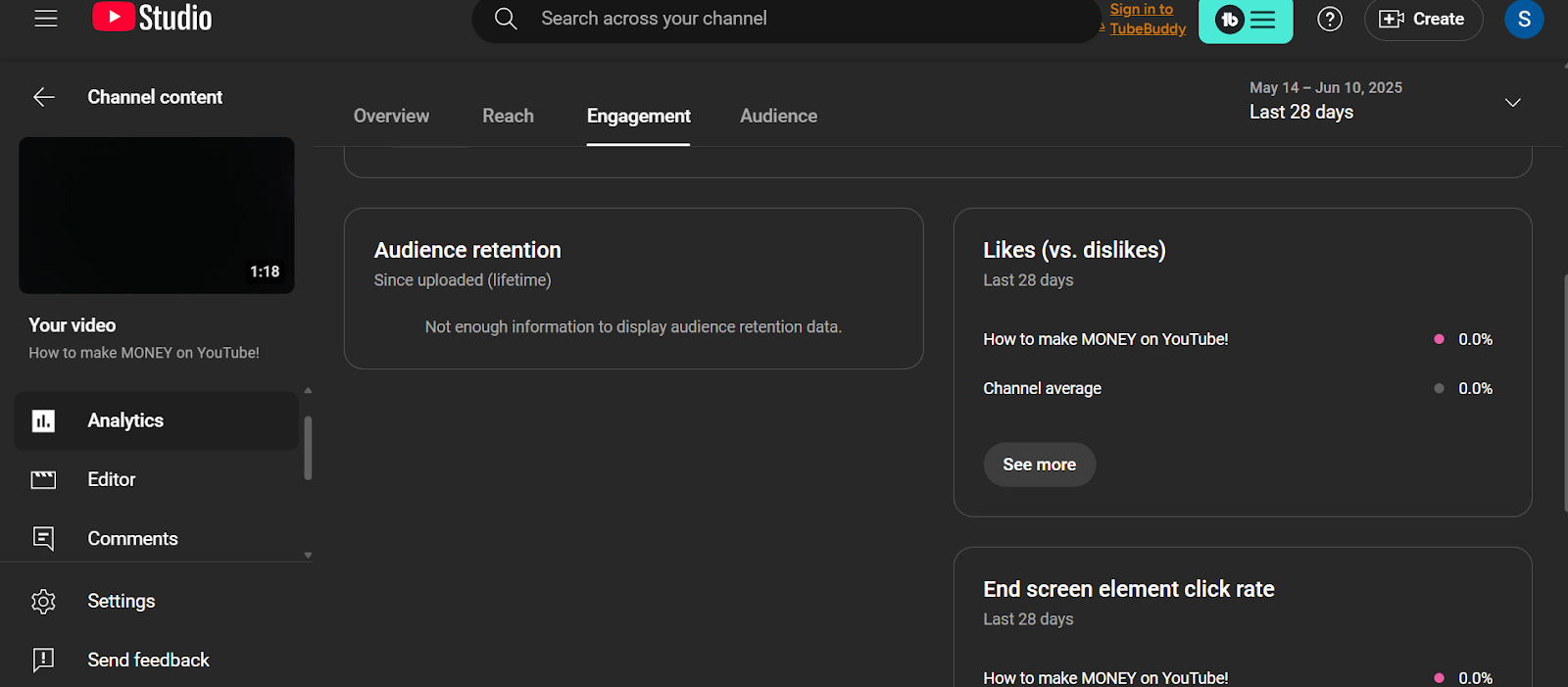
7. Audience Retention
Audience retention is another metric that is best represented as a percentage, this shows how much of a video viewers watch, put in a retention curve.
If the graph shows high retention signals, it means the content is compelling to YouTube’s algorithm. Now you can see drop-off moments to refine weak segments. These retention curves help you make precise content improvements.
8. Re-Watches
As much tracking unique viewers is vital, tracking re-watches can also help you build a channel with videos that are evergreen and will continue to get views and rewatches over time.
Re-watches count how often viewers replay specific video segments. This highlights engaging or valuable moments, like a tutorial’s key step.
Analyzing re-watch spikes in Analytics reveals what resonates most. It’s a clue to replicate successful elements. The same retention graph can show you potential rewatches on your videos.

9. Engagement Metrics (Likes, Comments, Shares)
One of the biggest factors that drives YouTube algorithm to take your videos seriously so there’s no reason why engagements should not be an important metric to track.
When it comes to engagement, it involves likes, comments, and shares and shows how viewers interact with your video.
These actions show the algorithm that your audience enjoyed your videos, which will lead to more promotion. Prompting viewers with clear calls-to-action, like “Share your thoughts below,” sparks engagement.

10. Subscriber Growth
Creators want to grow their channel and get rewarded for their effort, which is why tracking your subscriber growth is vital. You want to know how your channel is growing over time. With this metric, you can easily know what is working and what you should avoid.
Subscriber growth tracks new subscribers gained from a video or channel. With the subscribers indicating long-term audience commitment, driving consistent viewership.
To improve your subscriber growth you can start by adding strategic CTAs, like mid-video subscription prompts.

11. Traffic Sources
You should know where your biggest traffic sources are coming from so you can optimize for these sources and even try to utilize the others.
Traffic sources reveal a lot, like where views originate, such as YouTube search, suggested videos, or external sites.
This insight guides promotion strategies. Optimizing for high-performing sources, like social media for external traffic, boosts reach. It’s a roadmap to audience discovery.

12. Playback Locations
YouTube videos can be watched from different platforms, which further increases their reach. But you have to know where your videos often feature to properly utilize this data. Which is why tracking playback locations is ideal.
The playback locations metric shows where videos are watched, such as YouTube’s platform, embedded players, or mobile apps. It highlights consumption patterns across devices or sites.
So you can tailor content for dominant locations, like mobile-optimized visuals, enhancing viewer experience. It’s a lens into platform preferences.

13. Audience Demographics
Your audience demographics include viewer age, gender, and geographic location. And is an important part of making your video, targeting, and even subsequent marketing.
It is no surprise that audience demographics is in our list of top 15 metrics to track on YouTube. With this data, you can shape your content to match audience interests or expand reach.
Start by adjusting upload times for key time zones to maximize engagement and watch how your content aligns viewer realities.

14. Revenue (RPM)
Revenue per Mille (RPM) measures earnings per thousand views, factoring in ads, memberships, and other monetization.
It estimates the financial efficiency for monetized channels, so you can see how much you can make from your channel based on the views you get.
Tracking this is vital as it lets you know when there is a drop off, so you can improve. Experimenting with ad formats or memberships is a great way to improve revenue. Before you can track this metric, you must have an active monetization setup.

15. End Screen and Card Clicks
Despite being the 15th metric on the list, end screen and card clicks is by no means the least relevant here with its potential to increase subscribers, channel watch time, and make the algorithm rank your videos better.
End screen and card clicks like the name implies, tracks clicks on end screens or info cards linking to other videos or playlists. These elements extend viewer sessions, boosting watch time.
If you’re looking to get your first 1000 subscribers and get monetized, you can do so through strategic card placement, where you link related content mid-video and drive traffic.
Consider it a tool to keep viewers immersed in your channel.

Final Thoughts
YouTube Analytics unveils a roadmap to channel success, weaving together insights from watch time to audience demographics that ensures your channel continues to grow.
When the right metrics are tracked correctly, it gives the creator an edge, helping them make informed upgrades to their videos so it resonates, engages, and grows their audience.
Understanding viewer behavior, where they come from, what holds their attention, and how they interact, and tracking metrics like RPM helps a YouTuber make better strategies that elevate the channel and bring revenue.
If your video fails to captivate, it undermines even the sharpest analytics strategy. This is where Your Video Editor becomes invaluable. Your Video Editor has experience editing evergreen and viral videos, using data from your analytics to further improve their edits.
By crafting polished, engaging videos tailored to retain viewers and boost metrics like watch time and retention, Your Video Editor ensures your content stands out. From tightening pacing to enhancing visuals, their expertise transforms data insights into compelling stories.