You recorded the video. The talking points landed, the lighting looked clean, and the audio is usable. Then the true drag starts. Footage import, folder cleanup, sync issues, rough cut, music, captions, color, exports, revision notes.
For a lot of Windows creators, that's the point where content production slows down. Not because the ideas are weak, but because editing keeps eating the hours that should go into scripting, filming, publishing, and selling.
That bottleneck is common because Windows sits at the center of professional editing. In 2025, Windows held 45.50% of the global video editing market by operating system, and the market itself was valued at USD 3.54 billion in 2025, with a projection to reach USD 4.99 billion by 2031 according to Mordor Intelligence's video editing market report. More creators and businesses need polished video, which raises the standard for everyone.
The practical question isn't just which app to install. It's whether you should spend your own time becoming the editor, or spend money so someone else handles the post-production workload. If you're stuck at that decision point, this breakdown will help.
Table of Contents
- Is Video Editing Your Biggest Bottleneck
- The Crossroads DIY Software vs A Professional Service
- Evaluating Professional Video Editor Software for Windows
- How to Vet and Hire a Professional Video Editing Service
- Building Your Onboarding and Workflow Blueprint
- Integrating and Measuring Your Editor's Impact
Is Video Editing Your Biggest Bottleneck
A familiar pattern shows up when a channel or brand starts growing. Recording gets easier. Ideation gets sharper. Then the edit becomes the part that stalls everything.
One creator I've seen this with had no trouble filming two strong videos a week. The problem was post-production. By the time they'd sorted takes, removed dead space, balanced audio, added B-roll, and exported versions for different platforms, the content calendar had already slipped. The issue wasn't creativity. It was workflow capacity.
That's usually the moment you stop asking casual software questions and start asking business questions. Is it worth learning a full professional stack yourself, or is editing now expensive enough in lost time that it makes more sense to delegate?
Practical rule: If editing delays publishing more than your idea generation or filming does, editing is no longer a side task. It's your production constraint.
Windows users hit this point often because the platform supports serious editing tools, broad hardware options, and scalable workflows. That's a strength, but it also means you can sink a lot of time into tweaking your own setup instead of shipping finished videos.
There are only two solid responses. You either commit to becoming good enough with a professional video editor for Windows that editing stops being a bottleneck, or you hand that responsibility to a person or team built for it. Both can work.
If you're trying to decide whether the workload has outgrown the solo-creator model, this perspective on when YouTubers should hire video editors is worth reviewing.
The Crossroads DIY Software vs A Professional Service
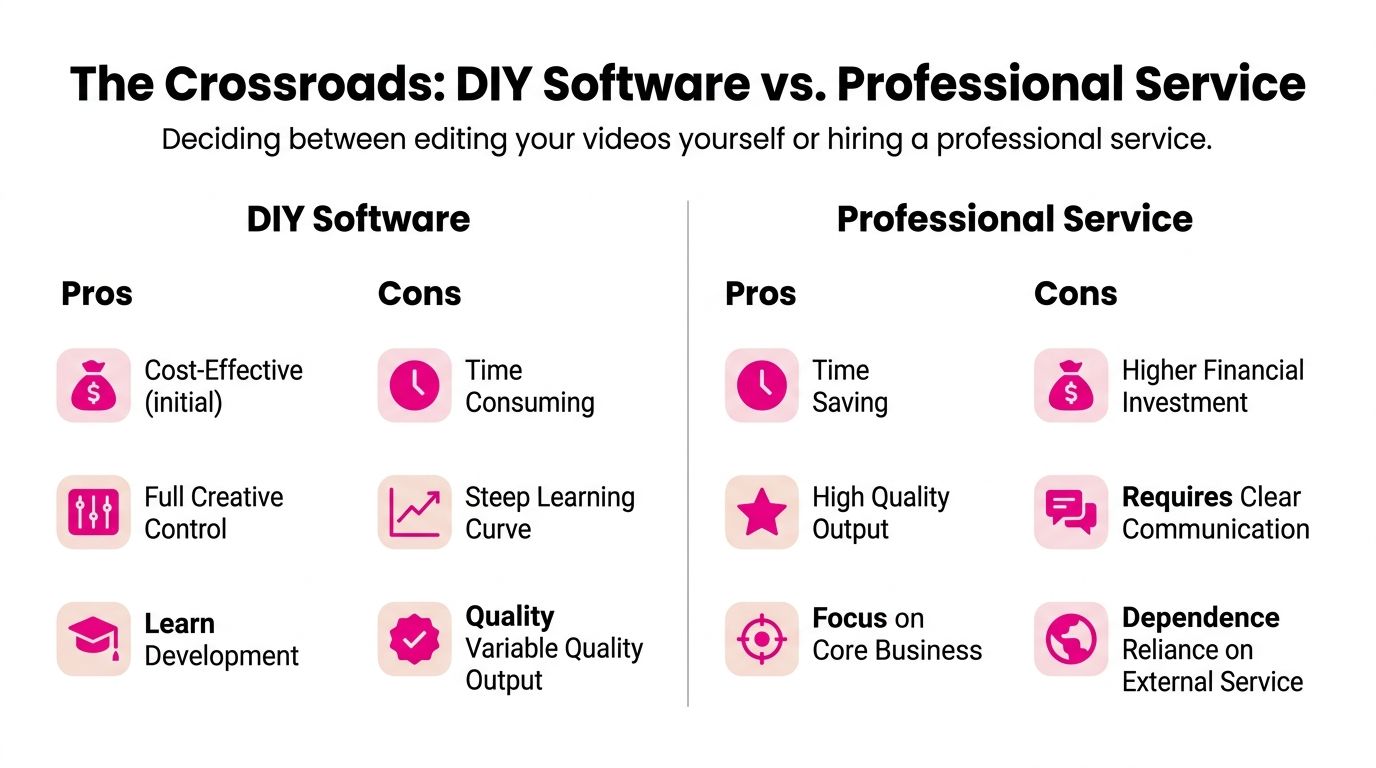
The decision usually gets framed the wrong way. People compare apps, monthly prices, and feature lists. The actual trade-off is simpler. Are you investing time or money to remove the same bottleneck?
Where DIY wins
DIY makes sense when your output is still evolving and you need direct control over every cut. If you're testing formats, changing your voice, or learning what your audience responds to, editing your own footage can sharpen your instincts.
The main advantages are practical:
- Lower initial cash spend: You avoid paying a service before your content system is stable.
- Creative control: Nothing gets lost in translation because you're making the calls in the timeline.
- Skill compounding: You learn pacing, visual rhythm, hook structure, and what footage you should shoot next time.
DIY breaks down when the edit becomes repetitive labor instead of useful learning. Trimming ums for the tenth time isn't strategy. It's backlog.
Where hiring wins
Hiring a professional editor or service becomes the better move when your time has a clearer job. For most growing creators, that job is planning content, recording, selling offers, managing partnerships, or leading a team.
A good editor doesn't just save effort. They protect consistency. They know how to keep intros tight, graphics aligned, audio cleaned up, and pacing on-brand across multiple videos.
Here's the honest trade-off in a side-by-side view:
| Decision factor | DIY software | Professional service |
|---|---|---|
| Time | You spend it learning, editing, exporting, revising | You spend it reviewing and directing |
| Cash flow | Lower at first, especially if you already own hardware | Higher, but more predictable when volume increases |
| Quality consistency | Depends on your skill and available hours | Depends on the partner's process and editorial standards |
| Scalability | Hard once content volume rises | Easier if workflow and turnaround are structured |
Hiring works best when you already know the kind of content you want made, even if you don't want to make it yourself anymore.
A simple decision filter
If you're unsure, use this filter:
- Choose DIY if you still enjoy editing, your publishing schedule is manageable, and the skill itself is part of your long-term advantage.
- Choose a service if editing delays releases, revisions pile up, or you need dependable output across multiple formats.
- Choose a hybrid if you want to rough cut key videos yourself but offload shorts, repurposing, cleanup, captions, or thumbnail-related motion work.
A lot of creators sit in that hybrid middle for a while. That's normal. The mistake is pretending you're “saving money” while your upload schedule keeps slipping and your best ideas stay on a hard drive.
Evaluating Professional Video Editor Software for Windows
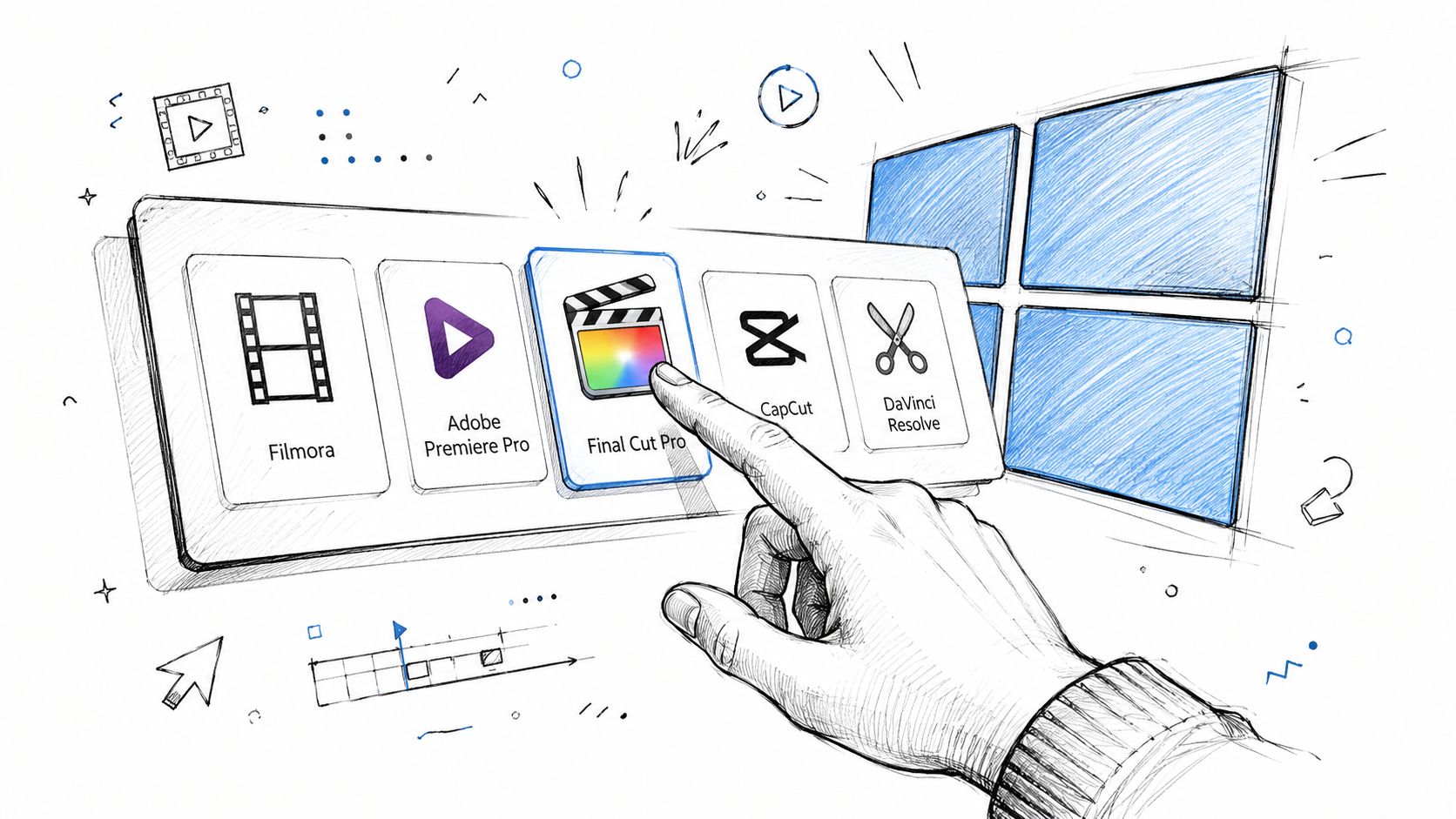
If you're staying on the DIY path, choose software like someone building a production workflow, not like someone browsing a top-ten list. A professional video editor for Windows needs to do more than look impressive on a landing page.
Start with workflow, not features
Most editing frustration comes from mismatch. The software isn't bad. It's bad for your type of work.
If you cut long-form YouTube videos, interviews, podcasts, or tutorials, check these first:
- Format support: Can it ingest your camera files, screen recordings, and audio without awkward conversion steps?
- Timeline behavior: Does it stay responsive once you stack music, captions, B-roll, screen zooms, and graphics?
- Audio tools: Can you clean dialogue, level tracks, and manage multiple speakers without bouncing between apps?
- Color controls: You don't need Hollywood grading. You do need reliable correction so footage looks consistent shot to shot.
- Export flexibility: Can you produce horizontal, vertical, and cutdown versions without rebuilding the project from scratch?
This matters more than novelty features. Fancy AI tools don't fix a clumsy timeline.
The software shortlist most people end up comparing
Two names dominate most serious Windows conversations: Adobe Premiere Pro and DaVinci Resolve. Premiere Pro has the strongest “default professional” position on PC workflows. Adobe Premiere Pro held 42% market share among paid professionals globally in 2024, according to Skillademia's video editing statistics roundup.
That market position exists for a reason. Premiere fits broad commercial workflows, integrates well with adjacent Adobe tools, and is familiar to a lot of teams, contractors, and agencies.
But market share doesn't mean it wins every workload. On equivalent Windows hardware, benchmark data cited by PCMag shows CyberLink PowerDirector 365 can deliver 22% faster multicam syncing performance than DaVinci Resolve. That matters if your content involves podcasts, interviews, events, or course recordings with multiple angles.
If you want a broader software breakdown focused on actual use cases, this guide to the best professional video editing software is a useful companion.
Don't buy software based on brand familiarity alone. Buy based on the type of footage you edit every week.
Hardware decides whether software feels professional
A lot of people blame the software when the underlying problem is the machine underneath it. For professional 4K editing on Windows, 32 GB RAM and a GPU with at least 8 GB VRAM are the practical minimums, based on Lenovo's guidance for video editing hardware across workflows.
If your projects involve heavier color work, layered graphics, or multicam timelines, stronger hardware changes the experience materially. The same Lenovo guidance notes that moving to 64 GB RAM and a 16 GB VRAM GPU can reduce iteration time by up to 40% in complex workflows.
Use this quick checklist before you commit to a tool:
| What to evaluate | What to ask |
|---|---|
| Footage type | Talking head, screen recording, multicam, product demos, or cinematic footage? |
| Editing style | Fast cuts and captions, or longer narrative builds with sound design? |
| Delivery needs | YouTube only, or multiple aspect ratios and repeat exports? |
| Machine capacity | Can your current Windows PC handle proxies, playback, and export load smoothly? |
When the hardware is underpowered, every software comparison gets distorted. Laggy playback makes every editor look worse than it is.
How to Vet and Hire a Professional Video Editing Service
A service can save you time fast, but only if it runs like a system instead of a loose collection of freelancers. A nice showreel isn't enough.
Portfolio is the start, not the decision
Most buyers overvalue style samples and undervalue operations. A polished reel tells you an editor can make something look good. It doesn't tell you whether they can handle your file handoff, your recurring deadlines, your feedback style, or your brand rules.
Ask for portfolio examples that match your actual format. If you publish educational YouTube videos, don't get distracted by cinematic wedding edits. If you produce podcasts, ask how they handle multicam, speaker switching, and dead-air cleanup. If you need shorts, ask whether they understand platform pacing and caption design.
Then move past the visuals.
Ask operational questions before creative questions
A reliable editing partner should answer workflow questions clearly, without dodging into vague promises. That's where you find out whether you're hiring help or adding management overhead.
Use questions like these:
- Turnaround: What's the normal first-draft window for your format?
- Revisions: How are changes submitted, tracked, and closed?
- Pricing model: Is it per video, retainer, credits, or hourly?
- Scope control: What counts as a standard revision versus a new request?
- Communication: Who do you talk to when something changes mid-project?
- File delivery: How are project files, exports, captions, and assets returned?
If you're comparing options, these video editor job boards can help you see how different providers and freelancers position themselves. Even when you don't hire from a board, reviewing listings sharpens your screening standards.
Cheap editing often gets expensive in coordination. You save on the invoice, then lose time chasing drafts, resending notes, and correcting preventable misses.
What a working review system should look like
The fastest editing relationships usually share one trait. Feedback is structured.
You want a system where uploads, draft review, timestamped comments, approvals, and final deliveries live in one place. Email chains break down fast. So do revision notes written like “make it punchier near the middle.” That's not direction. That's guesswork.
A stronger setup looks like this:
- You upload organized footage and a brief
- The editor delivers a draft on a defined timeline
- You leave timestamped comments directly on the video
- The editor resolves notes in one revision cycle
- Final exports are delivered in the formats you need
Here's a useful example of what a polished service workflow can look like in practice:
When a service has a real review process, you feel it immediately. Drafts come back cleaner. Revisions get smaller. You stop repeating your preferences every single week.
Building Your Onboarding and Workflow Blueprint
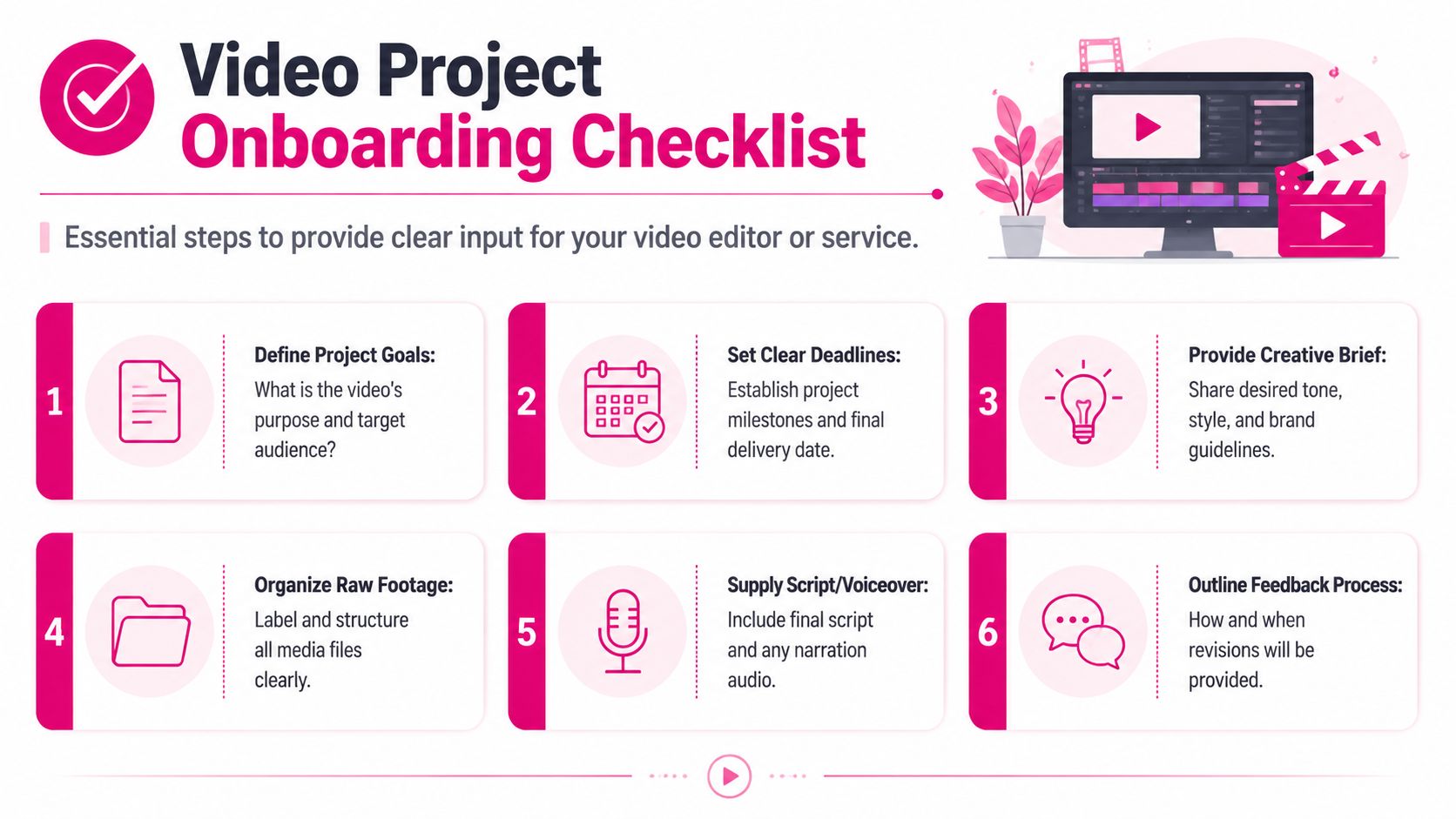
The handoff usually determines whether hiring an editor saves time or creates another management job.
A good editor can fix pacing, tighten structure, and clean up delivery. They cannot guess your offer, your audience, or what “on brand” means to your business. If you want the relationship to pay off, the first project needs a clear operating system, not a vague promise to “make it look professional.”
What to put in the brief
The best briefs reduce judgment gaps. They tell the editor what result matters, what choices are flexible, and where mistakes are expensive.
Include these inputs:
- Video objective: Educate, sell, retain viewers, book calls, or send traffic elsewhere
- Target viewer: New prospects, warm leads, customers, podcast listeners, or subscribers
- Editing style: Minimal, fast-paced, polished corporate, or personality-led YouTube
- Must-keep moments: Time-stamped sections that carry the argument, story, or call to action
- Must-remove items: Repeated takes, off-topic sections, mistakes, or comments that weaken the brand
- Visual references: Previous videos, channels, or campaigns that show the pacing and graphic style you want
- Brand rules: Fonts, colors, lower-thirds, intro/outro use, logo placement, and caption style
One sentence should anchor the whole brief: what this video needs to do for the business.
That line helps the editor make smarter cuts. A retention-focused YouTube video gets edited differently from a sales video or a founder clip meant to build trust on LinkedIn.
How to organize files so editing starts fast
Messy assets slow down every project. They also make you pay for work that has nothing to do with editing.
If the editor spends the first hour sorting clips, hunting for the right audio, or checking which script is current, that hour still ends up on your invoice or in your turnaround time. Clean organization is one of the easiest ways to make outsourced editing feel worth the money.
Keep the folder structure simple:
| Folder | What goes inside |
|---|---|
| 01 Footage | Main camera files, B-roll, screen recordings |
| 02 Audio | Lav tracks, boom audio, voiceover, music references |
| 03 Brand Assets | Logos, fonts, lower-thirds, templates |
| 04 Script and Notes | Final script, outline, selects, brief |
| 05 Exports Reference | Prior edits or examples of desired style |
Add one more document to the folder: a short read-me file. List the final file names, the preferred aspect ratios, the deadline, and any missing assets the editor should expect later. That prevents the usual back-and-forth on version confusion.
A shared asset library also helps once you move past the first project. Keep approved intros, outros, music beds, brand graphics, caption presets, and logo files in one master folder. Then each new video starts from the same baseline instead of being rebuilt from scratch.
Set the communication cadence before project one
This is the part many guides skip.
Hiring an editor is not just buying software skills. You are adding a new person to your publishing process. If you do not define response times, revision windows, and approval ownership, the work drifts.
A practical cadence for the first month looks like this:
- Kickoff message or call: Confirm goals, style references, deadlines, and deliverables
- First draft date: Set a real date, not “sometime next week”
- Feedback window: Decide how long you need to review, usually within one business day or two
- Revision round: Consolidate notes into one pass
- Final delivery and archive: Save exports and project files in the agreed location
This structure protects both sides. The editor knows when to expect decisions. You know when the project moves instead of wondering whether a draft is coming tonight or three days from now.
How to give feedback that actually helps
Weak feedback creates expensive revision rounds. Clear feedback shortens them.
Comments like “make it pop” or “this part feels slow” push the editor into guesswork. Better notes identify the moment, the problem, and the fix.
Use feedback like this:
- Use timestamps: “At 01:42, cut the pause before the product demo.”
- Name the issue: “Music is competing with the testimonial.”
- State the desired fix: “Use tighter zooms in the first 20 seconds to improve the hook.”
- Separate error from preference: “Logo placement breaks brand rules” is different from “test a cleaner version without the logo.”
- Batch revisions: Send one consolidated round instead of scattered messages throughout the day
The first few projects should also produce a style record. Save repeated feedback on pacing, hook length, caption format, music level, meme usage, transitions, and CTA placement. Over time, that document becomes your editing SOP.
That is when outsourcing starts to beat DIY in a meaningful way. You stop reteaching your preferences, and the editor starts delivering work that already fits your channel, your offer, and your production pace.
Integrating and Measuring Your Editor's Impact
Once editing is off your plate, the job isn't finished. You need to know whether the relationship is improving the business, not just making videos look nicer.
Measure output, not just aesthetics
A better edit should show up in operations first. The earliest wins are usually internal. You publish on time more often. You spend less time inside the timeline. Drafts require fewer correction rounds because standards are clearer.
Track practical indicators such as:
- Time recovered each week: Hours you no longer spend cutting, captioning, exporting, or revising
- Publishing consistency: Whether videos go live when planned
- Content volume: Whether you can sustain long-form plus shorts without chaos
- Revision friction: Whether notes are shrinking because the editor understands your style
- Brand consistency: Whether thumbnails, motion elements, captions, and pacing feel aligned across uploads
Those are the signs that editing has become a function, not a fire drill.
Make the editor part of the publishing system
The best relationships don't treat the editor as a last-minute vendor. They plug the editor into the content machine.
That usually means the editor has access to your production calendar, your scripting cadence, your asset library, and your preferred review loop. If you use project management tools, the editor should fit into them cleanly. If you batch record, the editing schedule should reflect that. If shorts come from long-form episodes, that repurposing path should be intentional rather than improvised.
When the editor joins the workflow early, fewer problems show up in post. They know what footage is coming, what assets are ready, and what deadline matters.
The right result
The right professional video editor for Windows isn't just the person with the flashiest transitions or the lowest quote. It's the setup, whether software or service, that removes your biggest bottleneck without creating a new one.
If DIY gives you speed, control, and a workflow you can sustain, that's the right answer. If hiring returns hours to your week and raises the floor on quality, that's the right answer. Most mature content operations eventually optimize for consistency, repeatability, and time back.
That's the ultimate test. You should spend less energy wrestling with post-production and more energy making better content, serving your audience, and growing the part of the business only you can lead.
If editing is slowing down your publishing schedule, Your Video Editor is built for creators and teams that need a dependable post-production system, not just a freelancer on call. They handle long-form and short-form editing, thumbnails, brand-aligned motion assets, structured revisions, and defined turnaround times through a client portal with timestamped feedback, which makes the whole process easier to manage on a Windows-based content workflow.