Most advice on YouTube Shorts gets this wrong. It treats length like a cheat code.
Creators keep asking how long should a YouTube Short be, hoping there's one perfect number that gains reach. There isn't. In practice, I've seen the opposite mistake hurt more channels than almost anything else. People cut aggressively just to make a Short feel “algorithm friendly,” then wonder why the video feels rushed, thin, or forgettable.
The better question is simpler. How much time does this idea need to land cleanly?
Sometimes that's a fast visual payoff. Sometimes it's enough space to build tension, teach one useful thing, or show a transformation from start to finish. If you're making Shorts consistently, you'll get better results by matching runtime to the job instead of forcing every idea into the same mold. If you're building a workflow around that, this guide on making a YouTube Short efficiently is a useful companion.
Table of Contents
- The Most Common YouTube Shorts Question Has a Surprising Answer
- The Official 3-Minute Limit vs The 30-Second Sweet Spot
- Match Your Short Length to Your Content Goal
- Why a 55-Second Short Can Get More Views Than a 15-Second One
- Editing Techniques to Nail Your Short's Pacing and Length
- Final Takeaway Stop Chasing a Magic Number
The Most Common YouTube Shorts Question Has a Surprising Answer
The surprising answer is that the question is slightly off.
A lot of creators ask for a target runtime as if YouTube rewards one exact duration. That leads to bad decisions in the edit. They trim context that the viewer needed, they remove the payoff, or they post a clip that ends before the idea feels complete. A Short can be brief and still underperform if it doesn't deliver anything satisfying.
The wrong rule to follow
“Shorter is always better” sounds smart because it feels aligned with short-form behavior. But that rule falls apart fast when you look at actual viewer experience. A clip that lasts only a few seconds has almost no room for a setup, a turn, or a useful explanation. It might get a glance. It often doesn't earn attention.
Practical rule: A Short should feel complete, not merely short.
That's the shift most creators need. Stop treating runtime as the strategy. Treat runtime as the container for a clear outcome. If the job is a quick tip, make it quick. If the job is a compact story or mini tutorial, let it breathe long enough to make sense.
The better way to decide
When I review short-form edits, I usually ask three questions before I ask about seconds on the timeline:
- What is the viewer getting? A laugh, a tip, a reveal, a demo, or a story.
- Where does the payoff happen? If it arrives too late, the pacing is off. If it never arrives, the idea wasn't ready.
- What can be cut without hurting clarity? Dead air goes. Necessary context stays.
That's the answer to how long a YouTube Short should be. It should be long enough to do one job well, and short enough that no beat drags.
The Official 3-Minute Limit vs The 30-Second Sweet Spot
YouTube's technical rule is clear. Shorts can now be longer than they used to be.
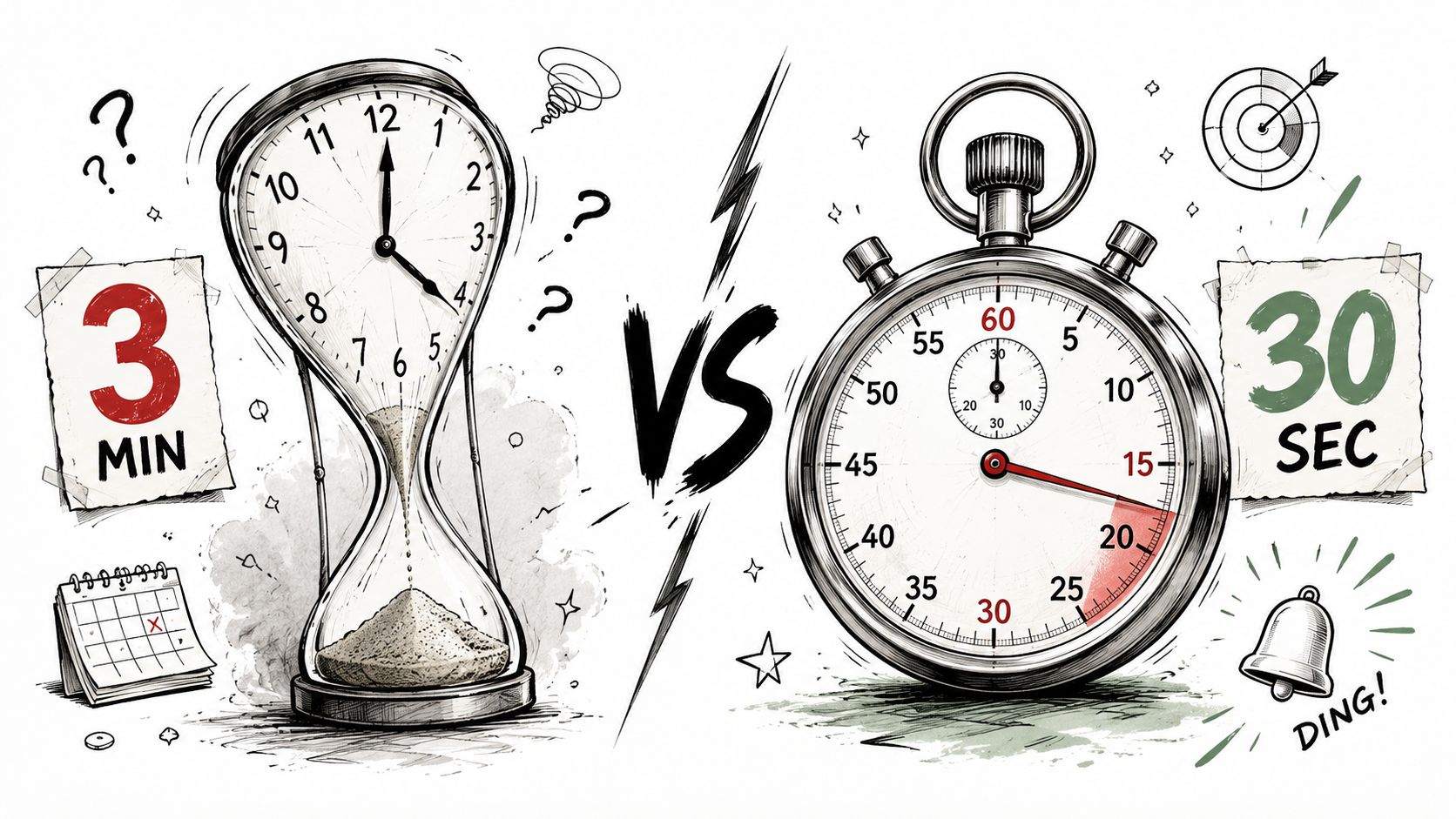
According to YouTube's Shorts help documentation, YouTube officially expanded the maximum length of Shorts from 60 seconds to 3 minutes starting October 15, 2024, and videos with square or vertical aspect ratios under three minutes can qualify as Shorts. That change matters because it gives creators more room for explanation, storytelling, and monetizable short-form formats.
But the practical answer is different from the platform limit.
What YouTube allows and what works in feeds
Even with the new ceiling, the strongest real-world performance still clusters much lower. The verified data shows a strong performance band in the 20 to 45 second range, which tells you something important. The max length is permission, not a recommendation.
That gap matters because many creators see “up to 3 minutes” and assume they should fill the space. Usually they shouldn't. Most Shorts work because they move fast, reveal value early, and don't ask the viewer for more patience than the idea deserves.
How I'd think about the limit
Use the full 3-minute capability only when the format earns it. For most channels, this is how the situation breaks down:
| Use case | Best way to think about length |
|---|---|
| Quick entertainment or one idea | Keep it compact |
| Tutorial with a visible outcome | Give it enough room to teach |
| Story-driven clip with a turn | Let the narrative finish cleanly |
The official maximum tells you what's possible. Viewer behavior tells you what's smart.
If you're chasing consistency, don't build your process around the cap. Build it around the shortest version that still feels complete. That's why the sweet spot still sits far below the technical maximum for most niches.
Match Your Short Length to Your Content Goal
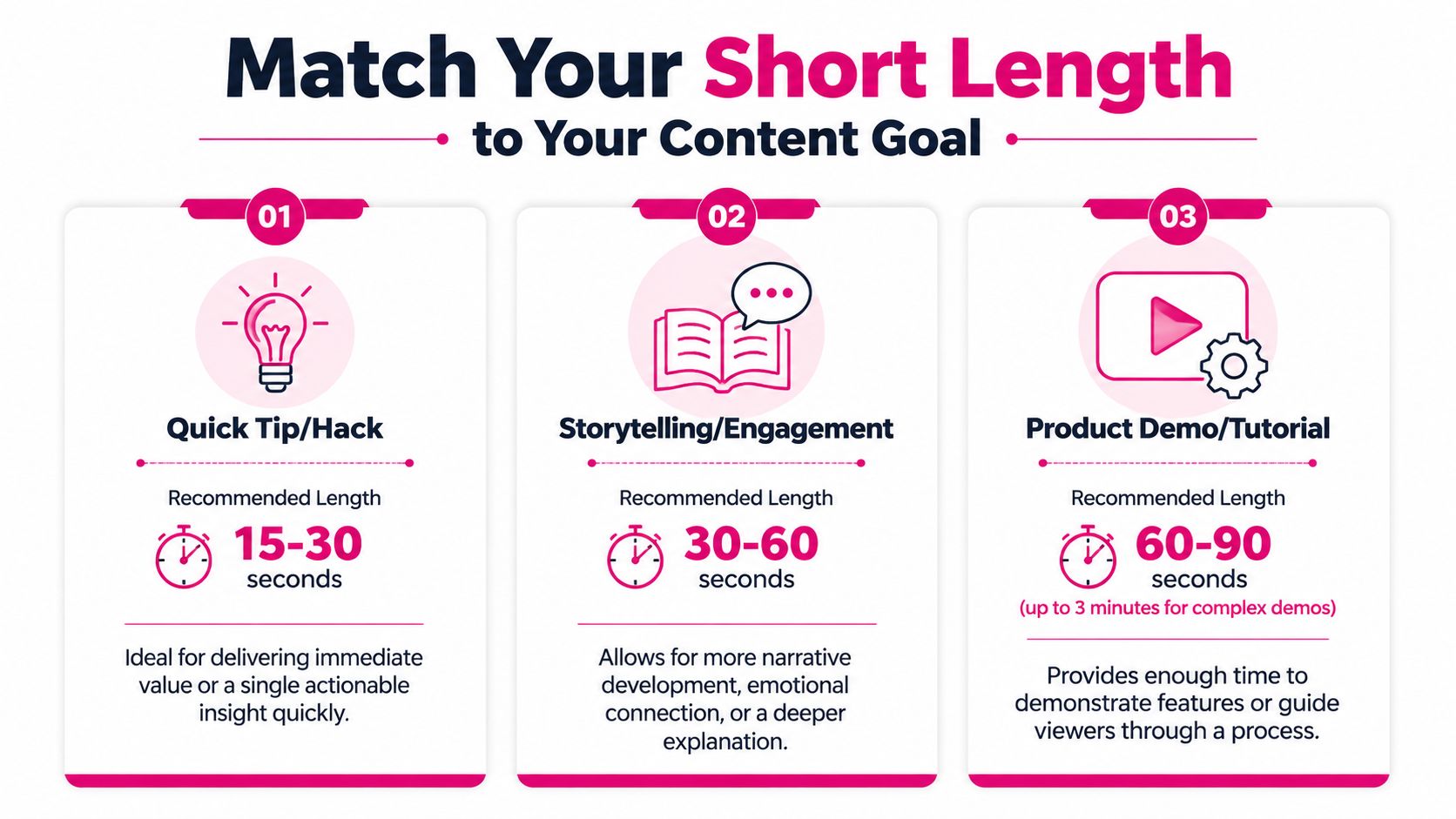
Length decisions get easier when you stop asking for one universal rule and start asking what the video needs to do.
The same runtime won't serve every objective. A punchy opinion clip, a product walkthrough, and a mini tutorial ask for different pacing. If you evaluate your edits through average view duration, this guide to YouTube average view duration and what it means helps frame the numbers correctly.
Maximum reach
If the goal is broad reach, the cleanest play is usually a 15 to 30 second Short. Verified retention data shows Shorts in that range consistently achieve the highest average retention rates, often exceeding 80%, according to Opus research on ideal YouTube Shorts length and retention.
Simple formats excel:
- Single-tip videos that answer one narrow problem
- Reaction or commentary clips with one sharp point
- Visual before-and-after edits where the payoff is obvious
The mistake is cramming three ideas into that window. Reach-focused Shorts need one promise and one payoff.
Audience retention
Retention is where pacing gets serious. The same verified Opus data shows that 50 to 60% of all viewer drop-offs happen in the first three seconds, which means your opening frame and first line carry more weight than the rest of the edit.
If the viewer doesn't understand the payoff immediately, the total runtime won't save the video.
For many teaching or explanation formats, I like a slightly longer window. It gives enough room to establish context, show the key move, and land the result without making the middle feel cramped.
A practical framework:
- Use 15 to 30 seconds for one-step ideas.
- Use 25 to 40 seconds when the viewer needs a setup and resolution.
- Use 30 to 45 seconds for behind-the-scenes or process clips that rely on progression.
Driving conversions
Conversion-oriented Shorts usually need more intent than pure reach clips. If you're trying to move someone toward a click, a product interest, or trust in your expertise, you often need more than a rapid punchline.
That's where a longer Short can help. You need room to state the problem, demonstrate the result, and make the next step feel logical instead of abrupt. Educational creators, service businesses, and software brands often do better when the Short teaches something concrete before it asks for action.
A good conversion Short usually includes:
- A direct opening problem
- A visible solution or proof moment
- A concise next step
That structure almost always edits better when you choose the runtime after the message is clear, not before.
Why a 55-Second Short Can Get More Views Than a 15-Second One
This is where the “keep it as short as possible” advice really breaks.
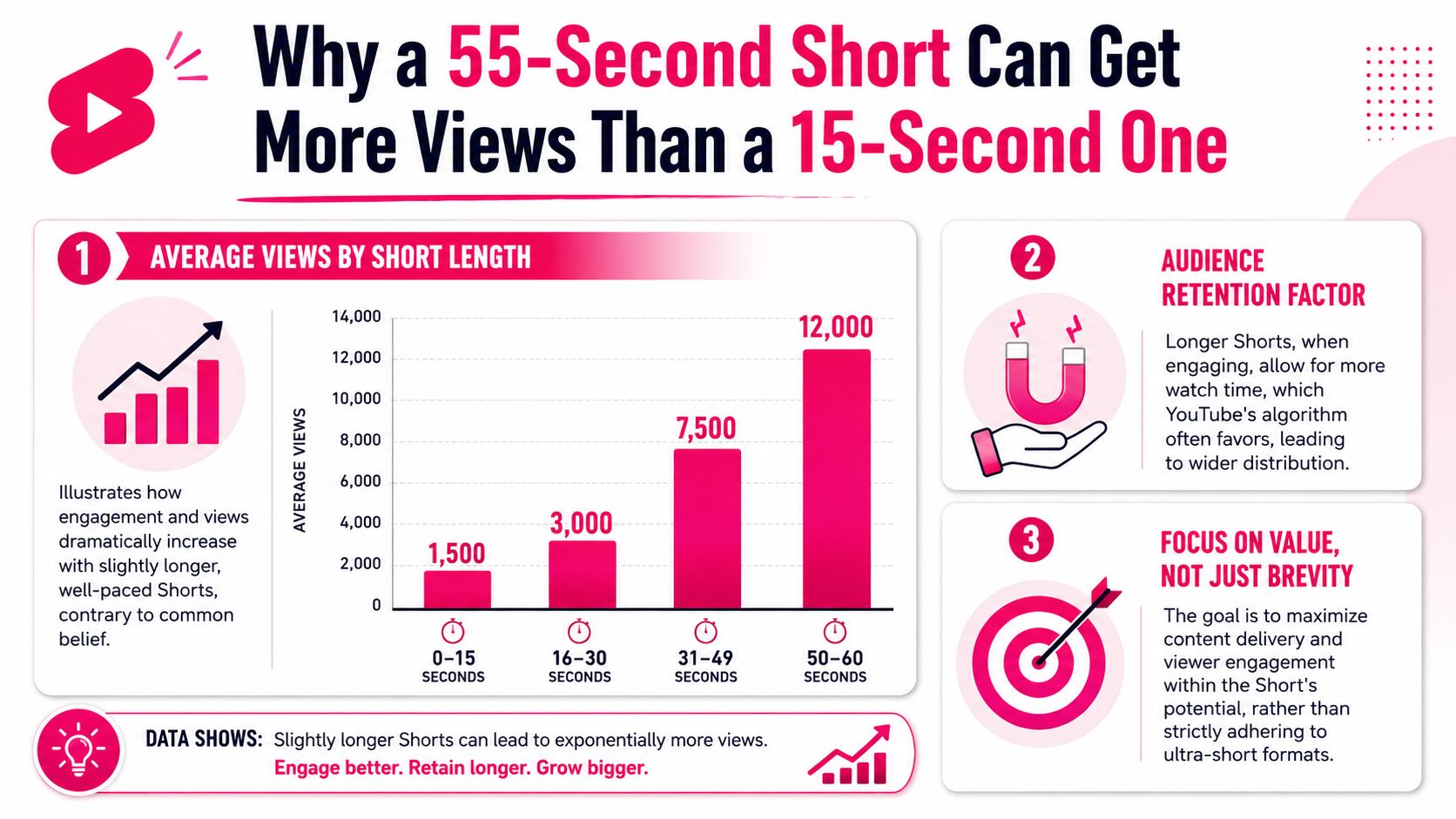
Verified data cited by Piktochart's analysis of YouTube Shorts length shows that in a study of 5,400 Shorts, videos between 50 and 60 seconds generated nearly 22 times more views than clips under 10 seconds. That's a strong rebuttal to the idea that shrinking everything automatically improves performance.
Why ultra-short clips often underperform
Sub-10-second Shorts have very little room to earn interest unless the concept is instantly obvious. That format can work for visual jokes, shocking reveals, or loopable moments. It often fails for anything that needs context.
A viewer needs some combination of these elements to stay engaged:
- A hook
- A reason to keep watching
- A payoff
Below that threshold, brevity becomes a liability. The clip ends before the viewer feels rewarded.
Why longer can mean stronger
A well-built 55-second Short can do something a 15-second clip often can't. It can set a problem, show progression, and resolve the tension. That works especially well for tutorials, mini stories, transformations, and “watch this fix” formats.
The key isn't that longer is better. The key is that enough room for substance is better than empty speed.
A rushed Short feels disposable. A tight longer Short feels worth finishing.
If you want to understand distribution signals more clearly, this breakdown of the YouTube Shorts algorithm is useful. It helps explain why videos that hold attention through a complete arc can outperform clips that are technically short but creatively thin.
Editing Techniques to Nail Your Short's Pacing and Length
Good Shorts aren't saved by runtime alone. They're saved in the edit.
Most weak Shorts don't have a length problem first. They have a structure problem. The beginning starts too late, the middle repeats itself, or the ending keeps talking after the payoff already landed.
Build the hook before you trim the middle
Start with the first frame. Don't start with your greeting, your logo, or your throat-clearing sentence. Start where the viewer instantly understands what they're about to get.
For talking-head Shorts, that usually means cutting straight to the strongest line. For demo content, show the result first. For storytelling, open on the conflict, not the backstory.
A solid hook usually does one of these things:
- States the problem immediately
- Shows the result before the explanation
- Creates open tension that the viewer wants resolved
Cut for movement not just for speed
Fast doesn't mean frantic. It means the edit keeps delivering new information.
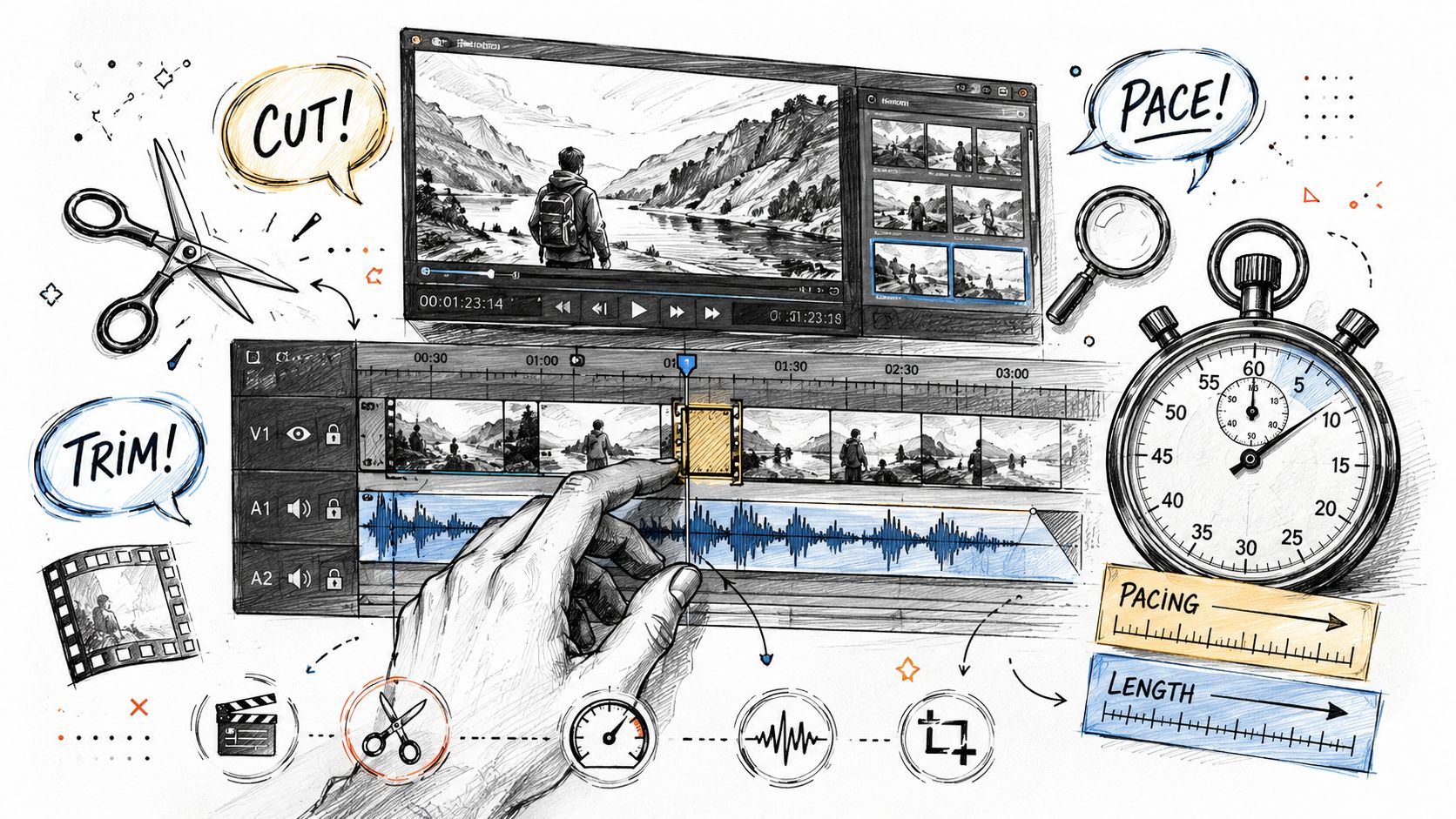
That's where pro pacing techniques matter. J-cuts and L-cuts help dialogue flow across visuals without making every transition feel abrupt. Text overlays can compress explanation. Punch-ins, B-roll swaps, and screen recordings can keep the eye engaged when the spoken line itself is carrying necessary context.
Here's a useful pacing reference:
When I'm tightening a Short, I'm usually looking for moments where the viewer already understood the point half a second before the clip ended. That gap gets cut.
Use the timeline to find the real ending
Many Shorts end late.
An effective ending is usually the moment after the payoff lands. Once the transformation is visible, the joke lands, or the lesson is clear, get out. Don't explain the explanation. Don't add a soft recap unless it adds a new reason to stay.
Editing shortcut: Watch your cut with the sound off once, then with the screen minimized once. If either version feels slow, the pacing still isn't clean.
A strong Short feels intentional at every second. Whether it ends at 22 seconds or 57, the viewer should feel that the video used exactly the time it needed and no more.
Final Takeaway Stop Chasing a Magic Number
If you came here wanting one exact answer, here it is in the most honest form possible.
There is no magic number.
The best YouTube Shorts are not the shortest ones. They're the clearest ones. They know what the viewer is supposed to get, they hook fast, and they end right after the value lands. Sometimes that's a fast clip. Sometimes it's a longer Short with enough room to teach, persuade, or tell a complete story.
The practical way to answer how long should a YouTube Short be is to decide the goal first. Then cut until every second earns its place. If the idea works in a tight format, keep it tight. If the idea needs more runway, don't ruin it by forcing it into an arbitrary target.
Creators who grow with Shorts usually stop obsessing over seconds and start paying attention to completeness, pacing, and payoff. That is the upgrade.
If you want that kind of pacing without spending hours buried in timelines, Your Video Editor can help. They handle short-form and long-form editing, thumbnails, graphics, revisions, and feedback workflows built for creators who need consistent publishing without sacrificing quality.