Sometimes a scene just plays too fast, and you miss certain parts. This can be annoying if you’re a sucker for details or are looking for something in particular.
Whether you’re analyzing a video, learning from it, or just watching for fun, fast playbacks can ruin the experience. Which is why people turn to frame-by-frame viewing. On YouTube, there are different ways to watch frame-by-frame and capture all the details you need from the video.
Shortcuts have become a popular way of navigating YouTube, with the platform having its own official shortcut screen to help users access videos quickly.
In this guide, you’ll see how to watch a YouTube video frame-by-frame and capture precise moments. It’ll include the different ways to do this alongside third-party tools, reasons why frame-by-frame viewing is vital, and tips to master precision viewing.
Want to take your videos to the next level?
Why is Frame By Frame Viewing Vital?
Wondering why people care about watching their YouTube videos frame by frame? At first, it feels strange to leave the natural flow of the video and start watching it frame by frame, which at this point feels like going over a photo album rather than a video.
Well, there are lots of reasons why many viewers watch YouTube videos frame by frame. And we’ll be highlighting some of the most prominent ones here why frame-by-frame viewing is important on YouTube.
Frame-by-frame viewing transforms how you experience YouTube videos, revealing details that zip by in standard playback. This technique is a game-changer for creators, learners, and curious minds alike. Here’s why it matters.
Filmmakers and video editors can dissect every shot with precision. By pausing on individual frames, you spot subtle choices in lighting, composition, or movement that define a scene’s magic. This is how Your Video Editor’s expert editors create the perfect edits for your YouTube videos.
A single frame might reveal how a director uses shadows to hint at a plot twist, giving you inspiration for your own projects.
Even gamers chasing mastery find frame-by-frame viewing invaluable as they can watch speedruns or competitive matches frame by frame to study exact inputs or strategies. You might catch the split-second timing of a pro’s dodge in a fighting game, helping you level up your skills.
However, the advantages stretch to other niches too, with educators and students also able to unlock deeper understanding through slow, deliberate analysis.
A science tutorial on YouTube might flash a complex diagram too quickly to grasp. Stepping through frames lets you pause on that diagram, absorb details, and connect concepts at your own pace.
Movie trailers and music videos often hide clever details like a fleeting smirk, a background clue, or a hidden symbol that only frame-by-frame viewing reveals.
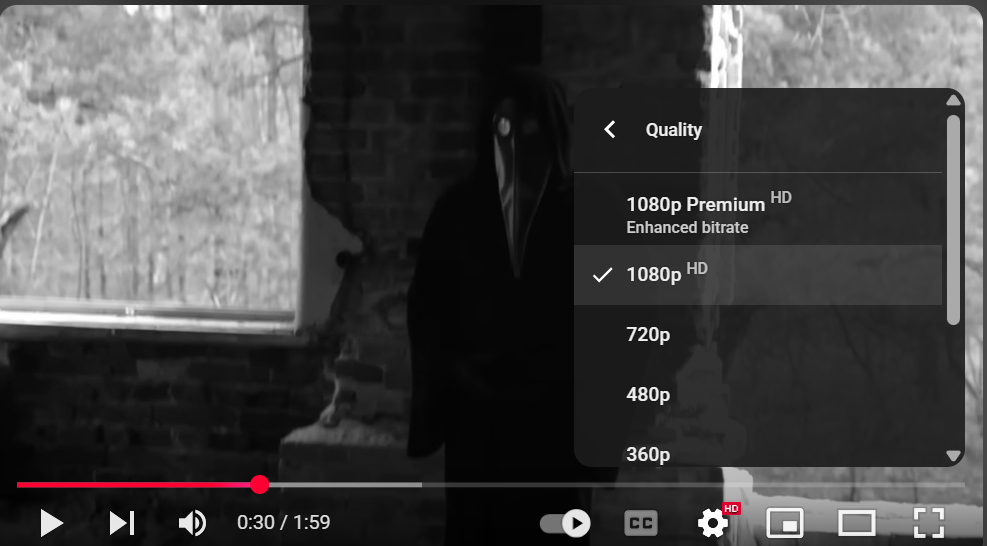
In 2015, John Krahbichler, a tech writer and university student running the Gadgetzz blog, received an anonymous CD in the mail from Poland, containing a cryptic YouTube video titled “11B-X-1371.”
And by analyzing it frame by frame, he discovered some shocking details, sparking a viral discussion online.
Understanding Frame By Frame Viewing on YouTube
Frame-by-frame viewing of YouTube videos helps in many ways, as people analyzing these videos get to see details that would’ve been missed otherwise.
However, the concept may be lost to many, which is why we’ve provided this section to help you understand what frame-by-frame viewing is all about and what makes it possible.
Videos on YouTube seem to flow smoothly, but they’re built from countless still images called frames. Understanding this structure unlocks the power of frame-by-frame viewing. Let’s break it down.
A frame is a single snapshot, like one page in a flipbook. When these snapshots play rapidly, your brain sees motion.
Most YouTube videos run at 30 frames per second (FPS), meaning 30 unique images flash by every second. Some high-quality uploads, like gaming or action clips, hit 60 FPS, doubling the detail.
The platform supports 24 to 60 frames per second. For a three-minute video at 30 FPS, that’s 5,400 individual frames, each holding potential secrets.
YouTube processes videos using compression to save bandwidth, which can slightly blur fast-moving scenes. But pausing on a frame lets you inspect details that compression might obscure.
For example, a 1080p video offers 1920×1080 pixels per frame, giving you crisp visuals to explore when you stop the action.
Frame-by-frame viewing matters because it lets you control time. Each frame, lasting just 1/30th of a second at 30 FPS, might reveal a hidden prop in a movie trailer or a precise hand movement in a dance tutorial. By stepping through frames, you freeze fleeting moments that standard playback skips.
Think of it like reading a book one word at a time. You notice nuances, like a background sign in a vlog or a split-second expression in an interview. This precision turns a casual watch into a deep dive, letting you uncover what’s hidden in plain sight.
Methods For Frame By Frame Viewing: Step By Step guide
There are different ways to pause your videos and view frame by frame so you can capture details otherwise difficult to see. These methods feature different techniques and processes so we’ll not only highlight them but provide a detailed step-by-step guide to doing each one. Ready? Let’s start with the official YouTube method.
1. YouTube Native Keyboard Shortcut
YouTube has a native keyboard shortcut for desktop that you can use to view frame by frame videos. This is the (,) and is included in the official YouTube shortcut list that you can access by pressing SHIFT + ? keys.
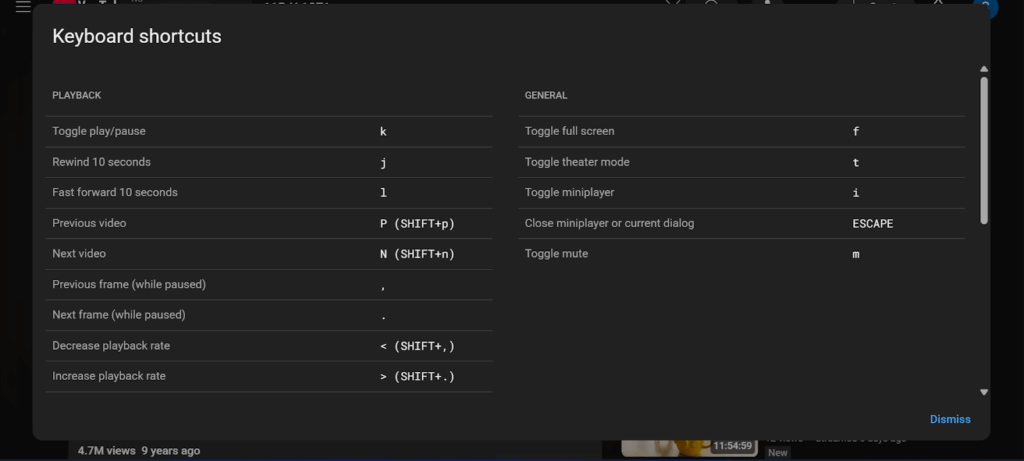
Here is how to use this native shortcut to view frame by frame:
Step 1: Sign in to YouTube on desktop and open a Video.

Step 2: Pause the video using the space bar or the pause icon.
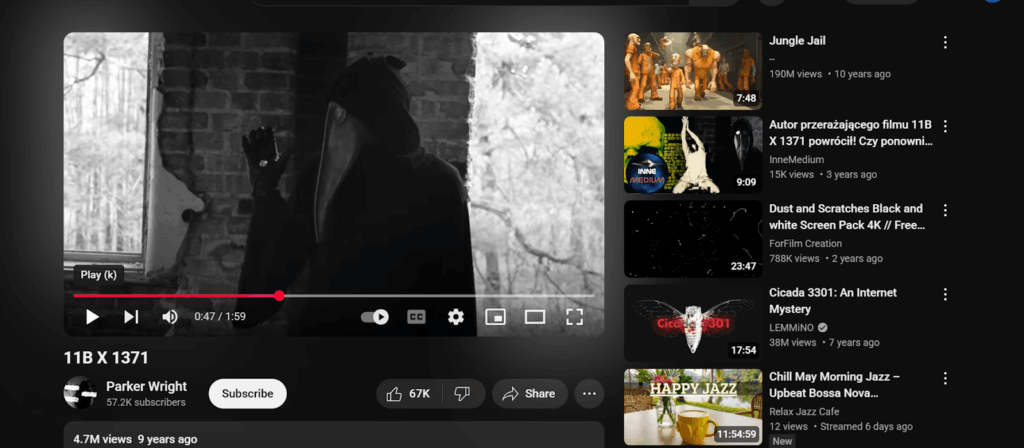
Step 3: Press the comma (,) to move one frame backward and period (.) to move forward one frame.
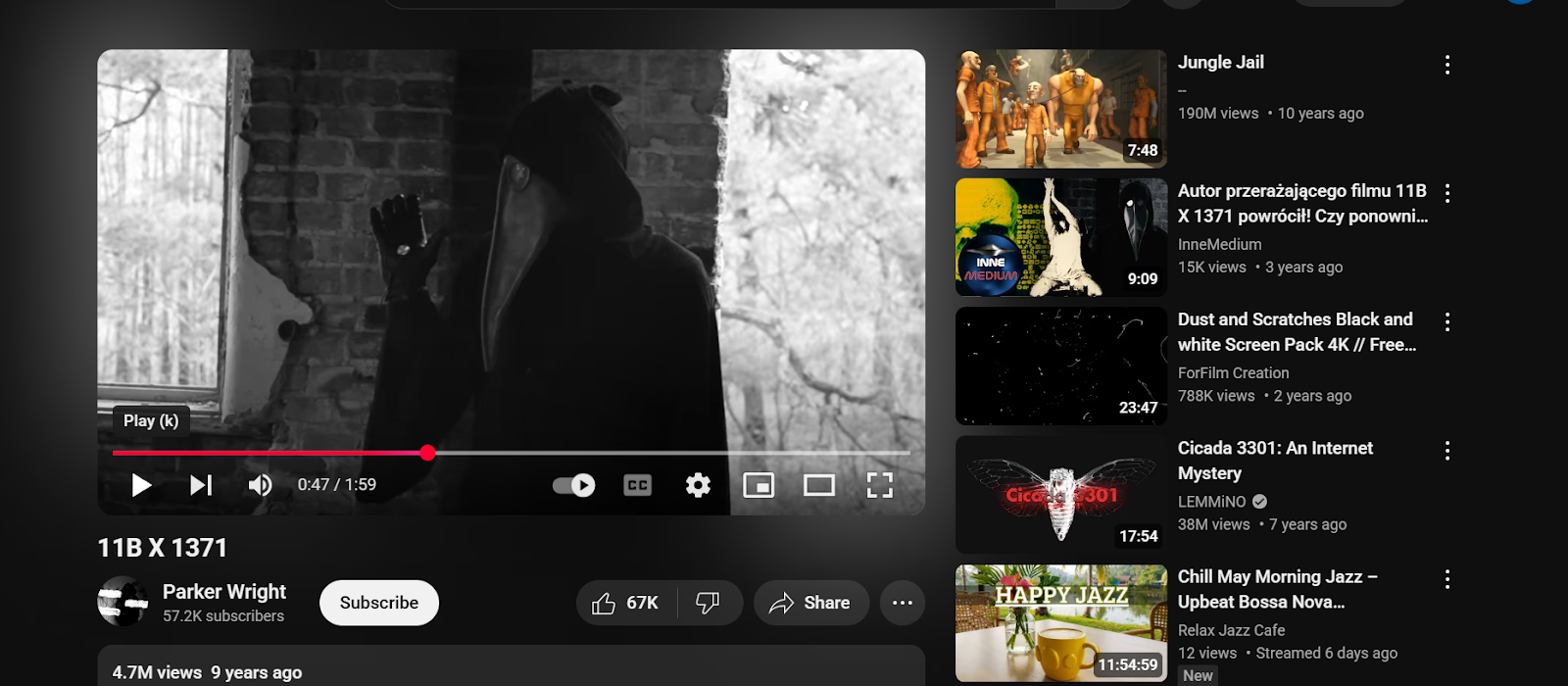

Step 4: Adjust playback quality to 1080p or higher for clarity (click Settings > Quality).
2. YouTube Mobile Workaround
Since the period and comma frame-by-frame viewing on YouTube is only effective on desktop, mobile, and app viewers may feel left out. Here is a work-around that produces a decent but less precise frame-by-frame viewing experience:
Step 1: Open the YouTube app or mobile browser.

Step 2: Set playback speed to 0.25x (tap Settings > Playback Speed).
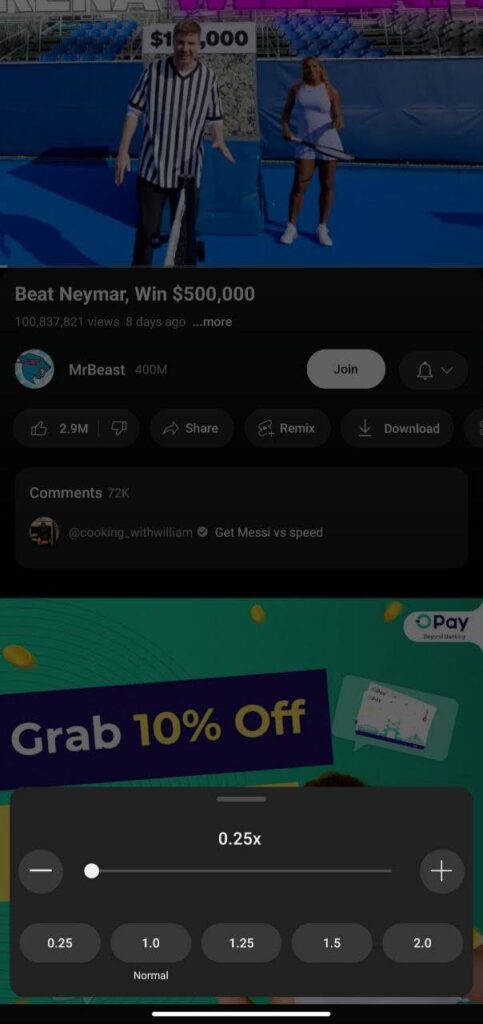
Step 3: Pause and manually scrub the timeline slowly to approximate frame-by-frame movement.

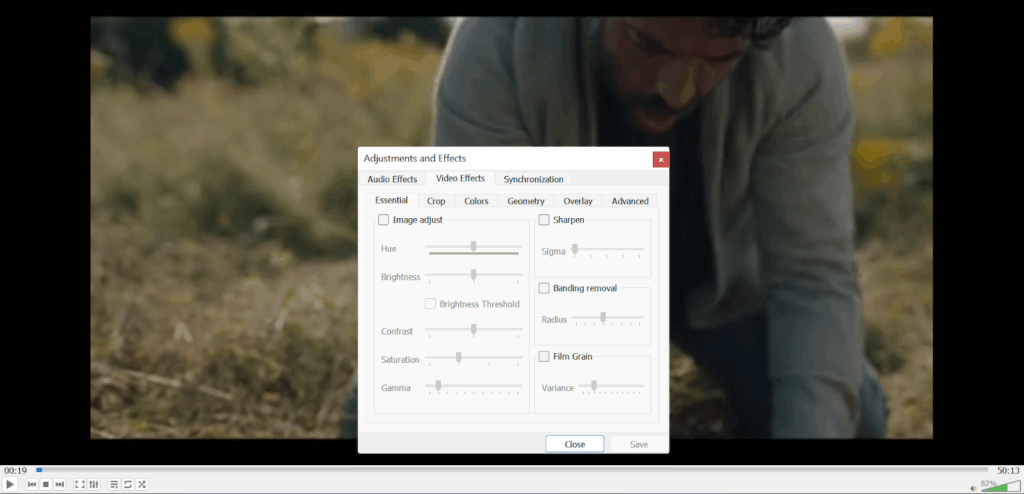
3. Third Party Tools Like VLC Media Player
Some tools make it easier to view frame by frame, whether on mobile or desktop. Tools like VLC media player come with built-in capacity to show frames of YouTube videos. This method, however, requires you to install the tool and also download the video.
Step 1: Download the YouTube video legally via YouTube Premium or with creator permission.
Step 2: Open the video in VLC Media Player.
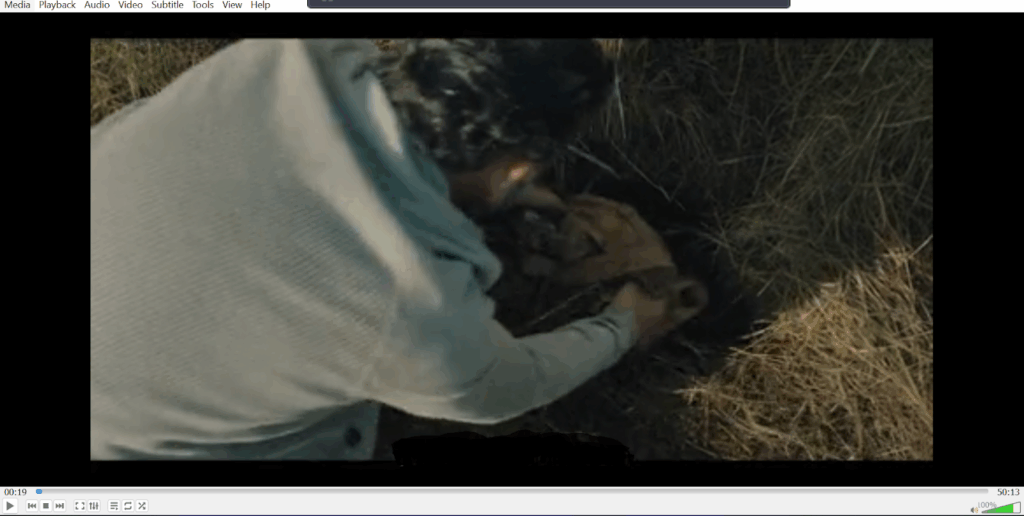
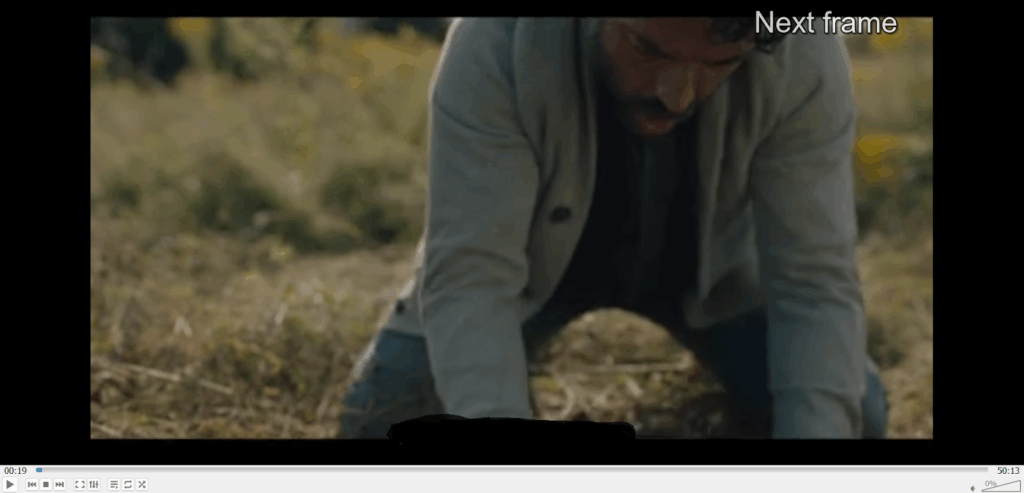
Step 3: Pause and use the “E” key to advance one frame at a time.
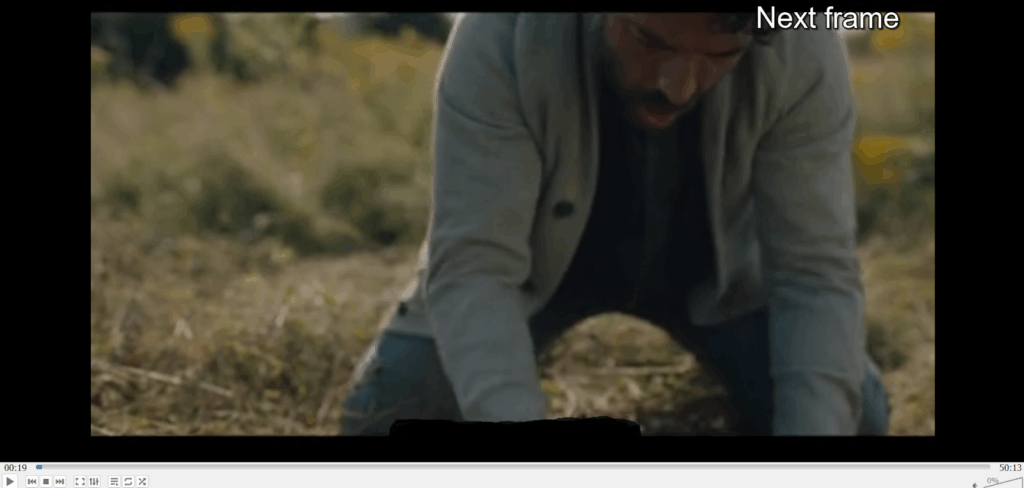
Step 4: Adjust video settings (e.g., brightness) for better visibility.
4. Browser Extensions Like Frame By Frame For youTube
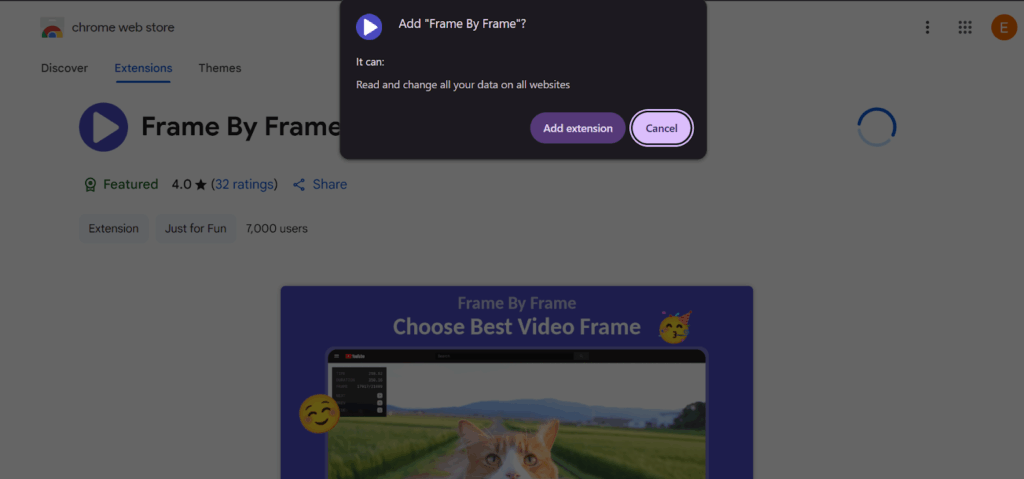
There are different browser extensions that you can use to view videos frame by frame. One of such extensions is the popular Frame by Frame that lets you view details in videos you may have otherwise missed due to playback speed. It works on desktop, but you have to check compatibility with your browser first.
Step 1: Install a browser extension like “Frame by Frame” from the Chrome Web Store.
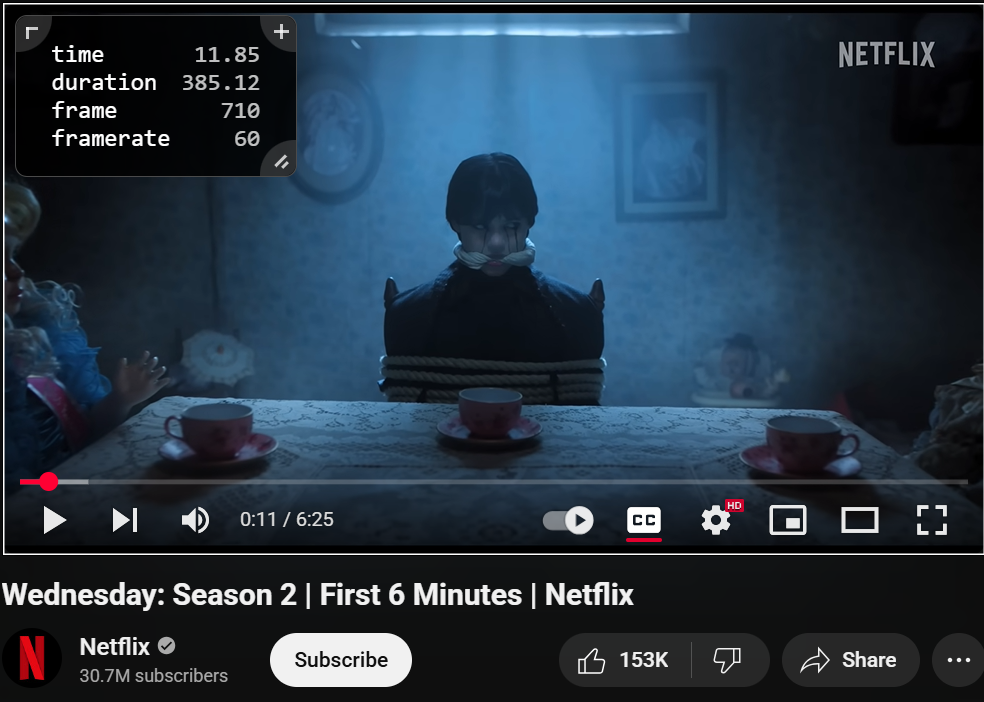
Step 2: Open a YouTube video and activate the extension to see the details ;like time, duration, frame and frame rate of the video at the top left corner of the video.
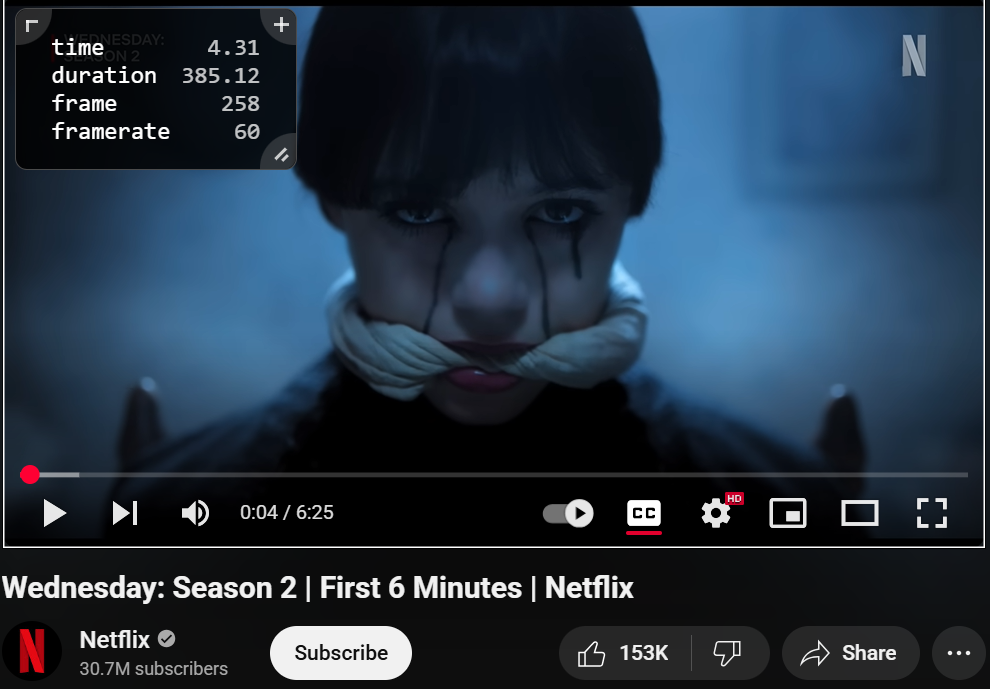
Step 3: Use extension-specific controls to change frames. For Frame By Frame, hover the cursor over the video and use the → or ← keys to move frame by frame.
Tips For Frame By Frame Mastery
Want to master frame-by-frame precision video viewing with whatever method you choose? It takes a bit of skill and patience, but the reward is enormous. Here are tips to improve your frame-by-frame viewing and master not only the controls but how you analyze the frames:
1. Slow Down Before You Step
Start by adjusting YouTube’s playback speed to 0.25x before pausing. This slows the video to a crawl, making it easier to land on the exact frame you want.
Say you’re analyzing a fast-paced gaming clip, slowing it to 0.25x helps you pinpoint a player’s split-second move. Use the Settings menu, select Playback Speed, and choose 0.25x for smoother frame navigation.
2. Optimize Your Display
A high-resolution screen sharpens your view, so if possible, use a monitor with at least 1920×1080 resolution to catch fine details in 1080p YouTube videos.
Adjust brightness and contrast to make faint elements, like text in a dark scene, stand out. For instance, spotting a hidden clue in a movie trailer is easier when your screen’s clarity is maxed out.
3. Annotate as You Go
Pair frame-by-frame viewing with note-taking tools like Notion or Google Keep. Jot down timestamps and observations for each key frame.
In a cooking tutorial, you might note the exact moment a chef adds an ingredient. This creates a reference you can revisit, turning your analysis into a structured project.
4. Peek Under the Hood
For tech-savvy users, try browser developer tools to inspect video elements. Right-click a YouTube video, select “Inspect,” and explore the video player’s properties.

This can reveal metadata or frame-specific details, like embedded captions. It’s a power move for dissecting complex videos, such as tech demos with hidden data.
When to Use Frame-by-Frame Viewing on YouTube
Frame-by-frame viewing on YouTube turns fleeting moments into opportunities for discovery. But knowing when to use it may be a challenge for many as this technique shines in specific scenarios, from crafting flawless edits to unearthing hidden clues.
Below are the top situations where stepping through frames makes a difference, with video editing leading the way.
1. Crafting Stellar Video Edits
Video editors rely on frame-by-frame viewing to perfect their creations. If you’re editing your videos, you have to use frame-by-frame viewing to make the right edits.
By freezing a YouTube clip, you can scrutinize every element, like a seamless cut or a subtle lens flare.
Pausing on a frame in a travel vlog might highlight how shadows enhance a sunset shot, sparking ideas for your own work. The meticulous approach ensures your edits are precise, visually striking, and professional, setting your projects apart.
2. Mastering Complex Techniques
When learning intricate skills, frame-by-frame viewing is a lifeline. In a gaming tutorial, you can halt the action to study a player’s split-second maneuver, like a perfectly timed slide in a racing game.
This granular control lets you replicate movements with confidence, turning fast-paced lessons into manageable steps.
3. Chasing Hidden Gems
For fans eager to uncover secrets, frame-by-frame viewing is a treasure hunt. Movie trailers or music videos often tuck away surprises, like a cryptic symbol or a brief cameo.
In the episode “Dreamscaperers” (Season 1, Episode 19), fans noticed a hidden detail in a single frame during a scene inside Grunkle Stan’s mind. By pausing the YouTube upload of the episode, viewers spotted a cryptic symbol, a cipher wheel that flashed briefly in the background.
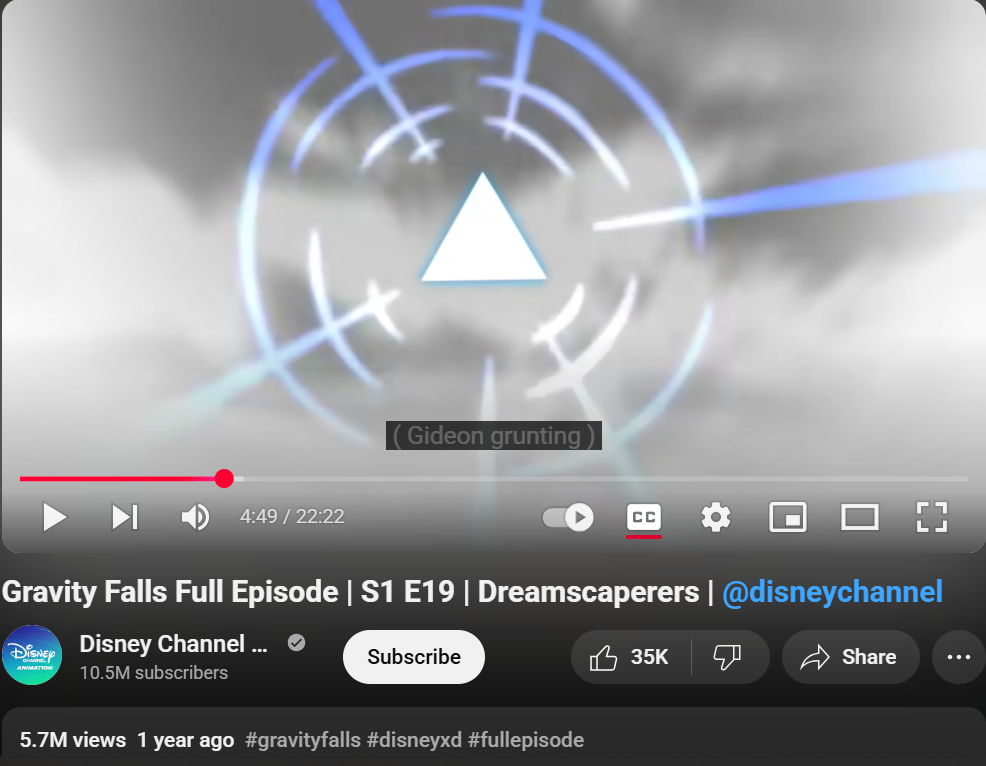
The wheel contained symbols tied to the show’s overarching mystery, sparking intense online discussion on platforms like Reddit.
4. Deepening Academic Analysis
Researchers and students benefit from frame-by-frame viewing when dissecting educational content.
Pausing on a lecture slide, like a biology chart or historical map, lets you absorb fine details, such as a molecule’s structure or a battle’s layout. Now you can grasp critical information, making complex topics clearer and supporting thorough note-taking for projects or exams.
Common Pitfalls and Solutions

It’s easy to make a mistake when using frame-by-frame viewing on YouTube, as it can be tricky if you’re not prepared. Here are some common mistakes to avoid to keep your experience smooth and productive, and how to fix the issues:
1. Blurry Frames from Low-Quality Videos
Low-resolution videos can make details fuzzy, ruining your analysis. Something as low as a 480p clip might hide text or objects in a frame, leaving you squinting.
You should always select the highest quality available. Click the Settings gear on YouTube, choose Quality, and pick 1080p or higher for crisp visuals. If the video doesn’t offer high resolution, consider finding a similar clip with better clarity.
2. Missing Shortcuts on Mobile
The YouTube mobile app lacks dedicated frame-by-frame shortcuts, frustrating users used to desktop controls. Trying to scrub the timeline often skips frames. Switch to a desktop browser for precise control using the comma and period keys.
If mobile is your only option, slow the playback to 0.25x in Settings and drag the scrubber carefully to mimic frame stepping.
3. Accidental Skips with Keyboard Shortcuts
Rushing through frames on your desktop can lead to pressing keys too quickly, skipping crucial moments.
For example, holding the period key might jump several frames forward. Practice deliberate, single taps on the comma or period keys. Pause briefly between presses to ensure you land on the exact frame you need.
4. Overlooking Copyright Rules
Downloading YouTube videos for frame-by-frame analysis in tools like VLC can tempt you to bypass permissions. And unauthorized downloads violate YouTube’s terms.
Make sure to always use legal methods, like YouTube Premium’s download feature or videos with explicit creator permission. Check the video’s description for download allowances to stay ethical.
Final Thoughts
Whether you’re looking to edit your YouTube video, analyze for specific information, or learn something new, frame-by-frame viewing is a popular way of watching videos on YouTube.
This style ensures precise viewing and helps viewers capture details that would’ve been lost otherwise.
With numerous methods available, including the official YouTube shortcut of period (.) and comma (,), using tools like VLC, browser extensions, and manually scraping through videos at low speeds, you’re well on your way to getting that precise information.
While top creators use frame-by-frame viewing to analyze their content, they often leave video editing to professionals like Your Video Editor, as it saves them time and ensures quality.
Your Video Editor has experienced editors who understand frame-by-frame viewing and editing, and use it to great effect when making the best edits.