Most reaction videos on YouTube face copyright claims, yet creators thrive. How? Reaction videos have become so popular as more and more people watch videos of creators showcasing their reaction to original content and giving more information on the video.
Reaction videos have authenticity in abundance as these creators show emotion and give their thoughts on an original post. Viewers love authentic videos which makes it a great niche for YouTubers. But that’s not all, the low overhead cost and ease of creation also makes it quite popular among creators.
Despite this love for the niche, creators have to face the common copyright challenge since they are always using other content. Which begs the question. Can you avoid copyright claims?
The short answer is not really, the long answer is that you can navigate it.
In this guide, we’ll teach you how to make reaction videos without falling foul of copyright just like the top creators in this niche.
Spending a lot of time making a reaction video and seeing it get demonetized or even blocked is a different level of pain but you can avoid that by making your reaction video a certain way. Before we talk about this, let’s first understand what reaction videos are all about.
Want to take your videos to the next level?
What is a Reaction Video?
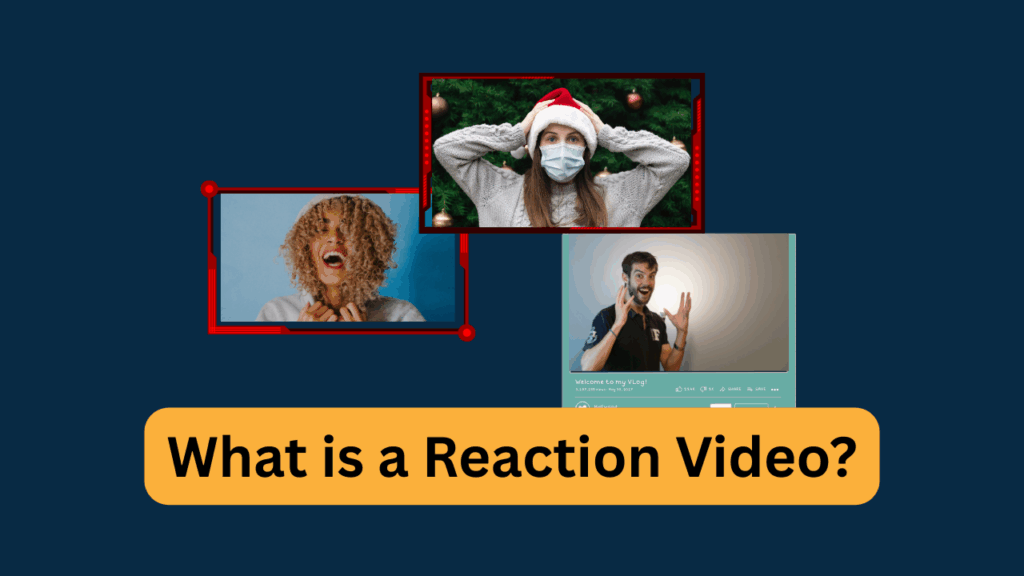
A reaction video is one showing the reaction of a person to another piece of content. This typically shows emotions and sometimes further explanation of the video. This authenticity is among the driving forces for the high demand of this type of videos.
On YouTube, this niche is growing at an alarming rate, with more creators joining the space. Some of the most popular reaction video creators on YouTube include No Life Shaq and Dwayne N Jazz.
Understanding Copyright in Reaction Videos
How is copyright a big issue with reaction videos? This question has been asked more than a number of times by creators looking to get into the niche.
Copyright is more like a legal authority given to the creator of an original piece to have exclusive control over how that content is used.
Copyright is a legal protection for original works like music, videos, books, or art. It gives the creator control over how their work is used, shared, or copied. For reaction videos, copyright applies to the content you react to, like songs, movie clips, or TV show scenes. Using these without permission can lead to trouble, so understanding copyright is key to staying safe.
Why Reaction Videos Are at Risk?
Reaction videos often use clips from movies, music videos, or other creators’ work, which are usually copyrighted. Showing or playing these without permission risks copyright claims or strikes.
The YouTube algorithm makes use of automated systems like Content ID to spot copyrighted material. If detected, your video could be muted, blocked, or demonetized. Even the smallest snippets can trigger issues if not handled carefully.
Fair Use vs. Copyright Infringement
When it comes to fair use vs copyright infringement, where do you stand? If you’re interested in this niche, you’re going to be dealing with these two a lot.
Fair use is a legal concept that allows limited use of copyrighted material without permission, but it’s tricky. To qualify, your reaction video should add value, like commentary, criticism, or parody. Just watching and reacting isn’t enough.
However, fair use isn’t guaranteed and depends on laws in your country. In the US the focus is more on rewarding creators for their work while the US copyright law is more focused on giving creators full authority over their work. Courts look at factors like how much of the original you use and whether your video harms the creator’s income.
Common Copyright Triggers
Want to know what triggers these copyright claims? Certain elements in reaction videos often cause problems:
- Music: Background tracks, theme songs, or full songs can trigger Content ID flags.
- Video clips: Movie trailers, TV show scenes, or YouTube videos are often copyrighted.
- Gameplay footage: Some game publishers, like Nintendo, are strict about usage, while others, like Sega, are more lenient.
Consequences of Copyright Violations
Using copyrighted material without permission can lead to serious issues. On YouTube, you might get a copyright claim, which can demonetize your video or share its revenue with the copyright owner. Worse, a copyright strike could limit your channel’s features or lead to a ban if you get multiple strikes.
Other platforms, like TikTok or Twitch, have similar rules. Violations can also result in legal action in rare cases, so it’s best to play it safe.
How Platforms Detect Copyrighted Content?
Platforms like YouTube use automated systems like Content ID to scan videos for copyrighted material. These systems match your video against a database of protected content, like songs or movie clips.
To avoid detection, some creators use short clips, lower audio volume, or add effects like zooms.
However, the safest approach is to use copyright-free content or seek permission first. Knowing how these systems work will also help you plan smarter reaction videos.
Choosing Copyright-Safe Videos For Reactions
One way to avoid copyright claims on your YouTube reaction video is to use copyright-safe videos. These are videos that have no copyright on them.
These types of videos are usually called public domain content and include old films, historical footage, or government-produced videos.
Public domain content is free to use because its copyright has expired or was never protected. This includes old films, historical footage, or government-produced videos. You can find public domain content on sites like the Prelinger Archives or the Library of Congress.
For example, reacting to a 1920s silent film or a NASA documentary is safe and can attract viewers interested in unique content. You should always verify the content is truly public domain to avoid surprises.
Creative Commons Licensed Content
Creative Commons (CC) licenses allow creators to share their work with specific permissions. You can find CC videos on platforms like YouTube, Vimeo, or Pixabay.
Check the license type, as some allow commercial use (CC BY) while others don’t (CC BY-NC). For instance, a CC BY music video on YouTube can be used for reactions if you credit the creator.
Search with filters like “Creative Commons” on YouTube to find safe options. Always read the license details to stay compliant.
For example, searching “jazz music” and including the Creative Commons filter will show results of jazz music with CC licenses.
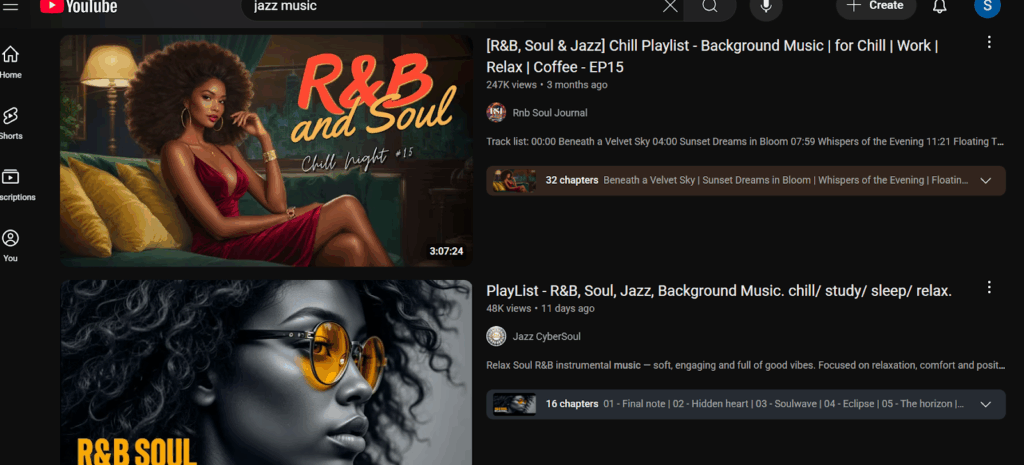
To verify the type of CC license, click the video, go to Description, and look for licenses.

Royalty-Free and Stock Media
Royalty-free videos and music are designed for creators and don’t require ongoing payments. Platforms like Pexels, Pixabay, or Storyblocks offer high-quality clips, such as funny stock commercials or animated shorts, perfect for reactions.
You have to look for engaging content that fits your niche, like quirky animations for humor-focused channels.
User-Generated Content with Permission
User-generated content (UGC), like viral X posts or TikTok videos, can be great for reactions if you get the creator’s permission. Reach out via direct messages on X, Instagram, or email to ask for approval.
For example, a viral dance video on TikTok could be reaction gold if the creator agrees. You just have to ensure the message is clear and polite, and you offer to credit them in your video. This builds trust and opens doors for collaborations.
Finding Unique Content Sources
The niche is getting lots of attention, so using generic content may no longer be rewarding. To stand out, you should explore non-traditional content like open-source game trailers or fan-made animations on platforms like Newgrounds.
Public domain music covers, like classical pieces on Musopen, are also safe bets. Search niche platforms and connect with creators to build a library of unique, copyright-safe content for your reactions.
Getting Permission To Use Copyrighted Videos
The best way to use copyrighted content and avoid a copyright claim on YouTube is by obtaining permission first.
Seeking permission is a safe approach when you want to react to copyrighted content like songs, movie clips, or TV show scenes. While fair use might apply if your video is transformative, getting permission eliminates the risk of copyright claims or strikes.
Always seek permission if you’re unsure about fair use or if the content is highly protected.
How to Contact Copyright Holders?
Now, to the part that may seem a little challenging for many, contacting the copyright holders. To use copyrighted content, you need to reach out to the copyright owner, such as a musician, production company, or game developer. So, how do you go about this?
- Start by identifying the owner through the content’s credits, official website, or platforms like YouTube’s “About” page.
- Use professional communication, like an email or a direct message on X, to request permission.
- Clearly state your intent to create a reaction video, how you’ll use the content, and that you’ll credit them.
- Be polite and concise to increase your chances of approval.
Negotiating Terms with Copyright Holders
Most times, it doesn’t just stop at reaching out; you may have to negotiate a few terms. When you get a response, the copyright holder may set conditions for using their content.
These could include limiting the clip length, requiring a specific credit in your video description, or asking for a share of ad revenue. You can negotiate some of these terms or ask for certain privileges if possible.
Be open to their terms and clarify any details, like whether the permission is for one video or ongoing use. Always confirm agreements in writing for clarity.
Working with Brands and Creators
Top creators in the reaction video niche get lots of copyright-safe videos by working and collaborating with brands. Yes, just that.
You can also enjoy this privilege when you collaborate with brands or small creators. Brands may allow reactions to their promotional videos, like product ads or trailers, as part of a sponsorship deal.
Reach out to their marketing team with a pitch about your channel’s audience. Similarly, indie creators, like YouTubers or filmmakers, often welcome reactions to boost their visibility. Build relationships by offering credits or cross-promotion.
Building Long-Term Relationships
Getting permission isn’t just a one-time task, it can lead to ongoing partnerships. Engage with creators on platforms like X or Reddit to find those open to reactions.
You can get a deal when you offer to share your video with them for feedback or promotion. These relationships can provide a steady stream of approved content, making your reaction videos safer and more sustainable.
How to Create a Reaction Video?
Looking to create your first reaction video but don’t know where to start? Here is a detailed guide with straightforward step by step guide to creating a captivating reaction video that your audience will love:
1. Choose The Right Content
Reaction videos are supposed to be fun, exhilarating, and engaging. One of the first things you must get right is choosing the perfect video for a reaction on YouTube. First, you need to get the video that fits your style and niche.
Whether it is copyright-safe public domain content, videos that require permission, or you are utilizing the fair use policy, you have to choose a video that resonates with you.
Always ensure to choose videos that spark an emotional response. It can be a prank, a funny video, or a dad coming back home to his young daughter. The idea is to engage viewers through your reaction, with this only possible if the initial video is interesting enough.
2. Decide The Style
Depending on the video you choose, the most suitable style of the reaction may vary. Some reaction videos are best when the reaction is from a group, others pass the message better from a single reaction.
You also need to choose the background, format, and appearance of the reaction video here. Your decision here will also form the basis of the next point as you continue to build the perfect reaction video.
Experiment with formats, like reacting to multiple short clips in one video, to create a fresh, transformative style.
3. Set Up Recording Studio
Choose a quiet and comfortable place to record with enough lighting to provide a vivid image of your reaction.
Even though creating a reaction video for your YouTube channel is easier than most niches, you still need some recording devices. You need a screen recorder to record the original content and a camera to capture your reaction.
Get these setups ready for your shoot. Thankfully, free software like OBS Studio can help you record your screen and webcam simultaneously.
4. Record Your Reaction
It is time to record your reaction but not until you play the video. Remember, you want to show your genuine reaction so you should be watching it for the first time.
While some creators watch the video first before recording, it defeats the purpose as you’ll most likely not be giving your genuine reaction but a rehearsed one. And your audience can spot a fake reaction from afar.
One of the best ways to capture your reaction perfectly is by doing the Pause and Comment trick. All you need to do is stop the video often to share insights, opinions, or jokes.
5. Edit Your Video
Edit with free tools like DaVinci Resolve. Add text overlays, memes, or zooms to enhance your commentary. Keep clips under 10 seconds and lower copyrighted audio to avoid Content ID flags. Aim for a 5–15 minute video to maintain engagement.
Here are a few tips to get the edit right, especially if you want to avoid content ID flags that will lead to copyright claims:
- Add text, memes, or graphics to emphasize your points. A funny caption during a dramatic scene can make your reaction unique.
- Frame your reaction as a narrative. For instance, explain why a game trailer resonates with your personal experiences.
- Teach something, like the cultural context of a film or the music theory behind a song.
Editing is one of the most important parts of making a reaction video. Everything boils down to how you cut the video and your reaction.
This is why the reaction channels simply leave their editing with top editing services. Services like Your Video Editor understand all these techniques and know how to avoid content ID flags.
6. Optimize for Platforms
Export in 1080p and upload to YouTube, TikTok, or Twitch. Use SEO-friendly titles and add relevant tags. Don’t forget to make your thumbnails with your expressive face and bright colors. You can also outsource it to professional thumbnail design services.
Common Mistakes to Avoid
While making reaction videos, some creators tend to make some mistakes that expose their contents to copyright claims and even blocks. If you want to avoid all these, including strikes that can see your channel banned, you want to pay attention to this section that highlights mistakes you should avoid.
- Overusing Copyrighted Material: Using long clips of songs, movies, or games without permission or transformation risks copyright strikes.
- Ignoring Platform Policies: Not checking YouTube, TikTok, or Twitch copyright rules can lead to video takedowns or bans.
- Assuming Fair Use Covers All: Relying on fair use without adding commentary or value often fails to protect your video.
- Leaving Unedited Reactions: Long, unedited videos with dead air bore viewers and may trigger Content ID flags.
- Not Getting Permissions: Reacting to viral content without creator consent can result in claims or legal issues.
- Poor Audio/Video Quality: Low-quality recordings or bad lighting reduce viewer engagement and professionalism.
- Neglecting SEO: Skipping optimized titles, tags, or thumbnails limits your video’s reach on platforms.
Final Thoughts
You can save yourself the struggle, protect your video and even your channel from getting banned by following this unique guide teaching you how to make reaction videos without the copyright claims.
The key is understanding why these claims happen and how to avoid or navigate them before you even start shooting your reaction. You can either use copyright-safe content or seek permission from the creator or copyright owner.
When making the reaction videos, you also have to get the edit right. Most creators see this as the most time-consuming part. Which is why they leave it to professional video editing services like Your Video Editor, since they understand how to edit reaction videos that not only capture attention but will also avoid YouTube’s robust content ID flags.
Be like other top creators and let these experts handle your edit while you continue making jaw-dropping reactions to videos.